


TL;DR
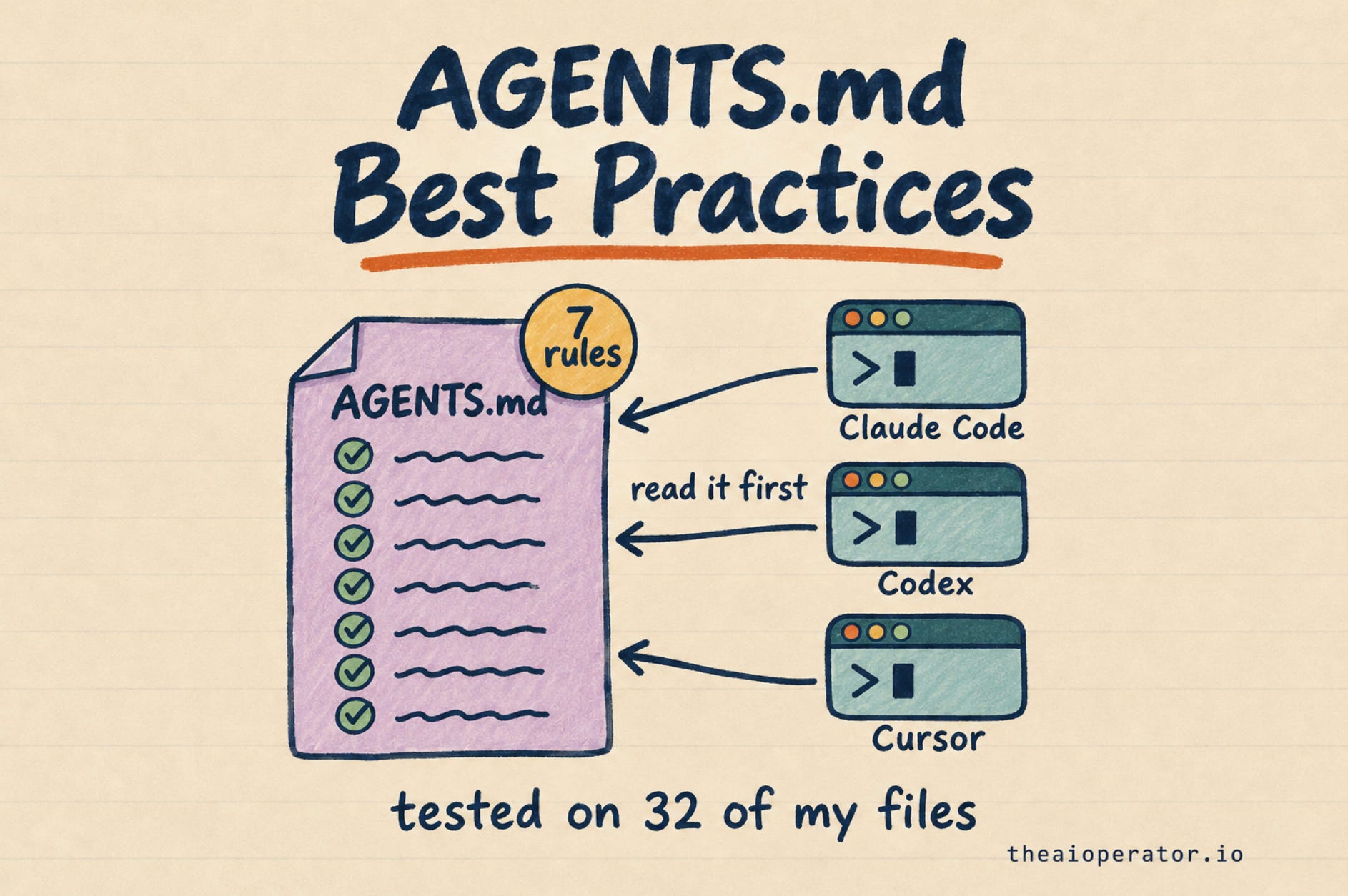
I scanned 32 AGENTS.md files on my laptop. Only 7 covered all 6 areas that GitHub found in good files.
Claude Code skipped 13 of the 32, because a CLAUDE.md sat in the same folder or above it.
The 7 practices below fix every gap I found. One command checks your own files.
On 22 November I checked every AGENTS.md file on my laptop. There were 32. Only 7 covered the 6 areas GitHub found in good files, and Claude Code didn’t read 13 of them at all.
These weren’t old test files. They run my open-source tools, my client work and my own agents every day. I maintain agents-md, a tool that writes these files, and obsidian-second-brain, which ships one set of rules to 8 coding agents. If anyone’s files should be clean, it’s mine.
On Sunday I showed why Claude Code ignores AGENTS.md when a CLAUDE.md exists. This post covers everything else my scan found, and the 7 rules I now follow.
What makes a good AGENTS.md
AGENTS.md is a plain text file of instructions for AI coding agents. Codex, Cursor, GitHub Copilot, Claude Code and many more read it. Think of it as a README written for the agent.
GitHub analyzed over 2,500 agents.md files in public repos. The files that worked had 5 things in common:
Commands early. Exact commands with their flags, like
pytest -v, near the top.Examples over explanations. One real code snippet beats three paragraphs about style.
Clear boundaries. What the agent must never touch. “Never commit secrets” was the most common helpful rule.
A specific stack. “React 18 with TypeScript and Vite”, not “React project”.
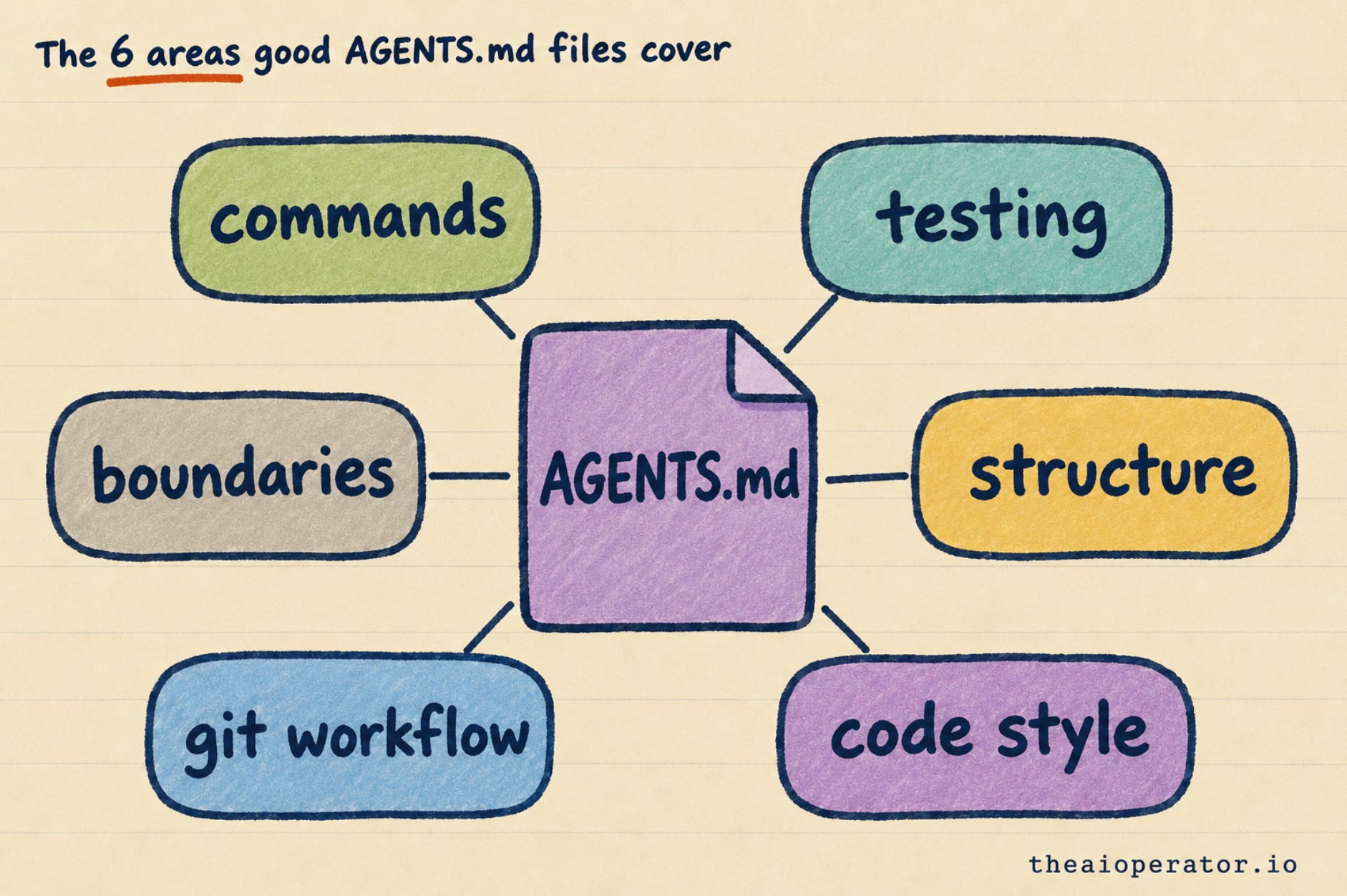
Six areas covered: commands, testing, project structure, code style, git workflow and boundaries.
Two research papers add a warning. A 2026 study ran agents on 124 pull requests in 10 repos, with and without AGENTS.md. With the file, median runtime dropped 28.64% and output tokens fell 16.58%.
A second study found the opposite on task success. Context files didn’t raise success rates on average, and they raised inference cost by over 20%. The agents did follow the instructions. But repository overviews didn’t help at all.
Both can be true. A file that tells the agent what it can’t guess saves time. A file full of things the agent could learn from the code costs money and adds nothing.
How I checked my 32 files
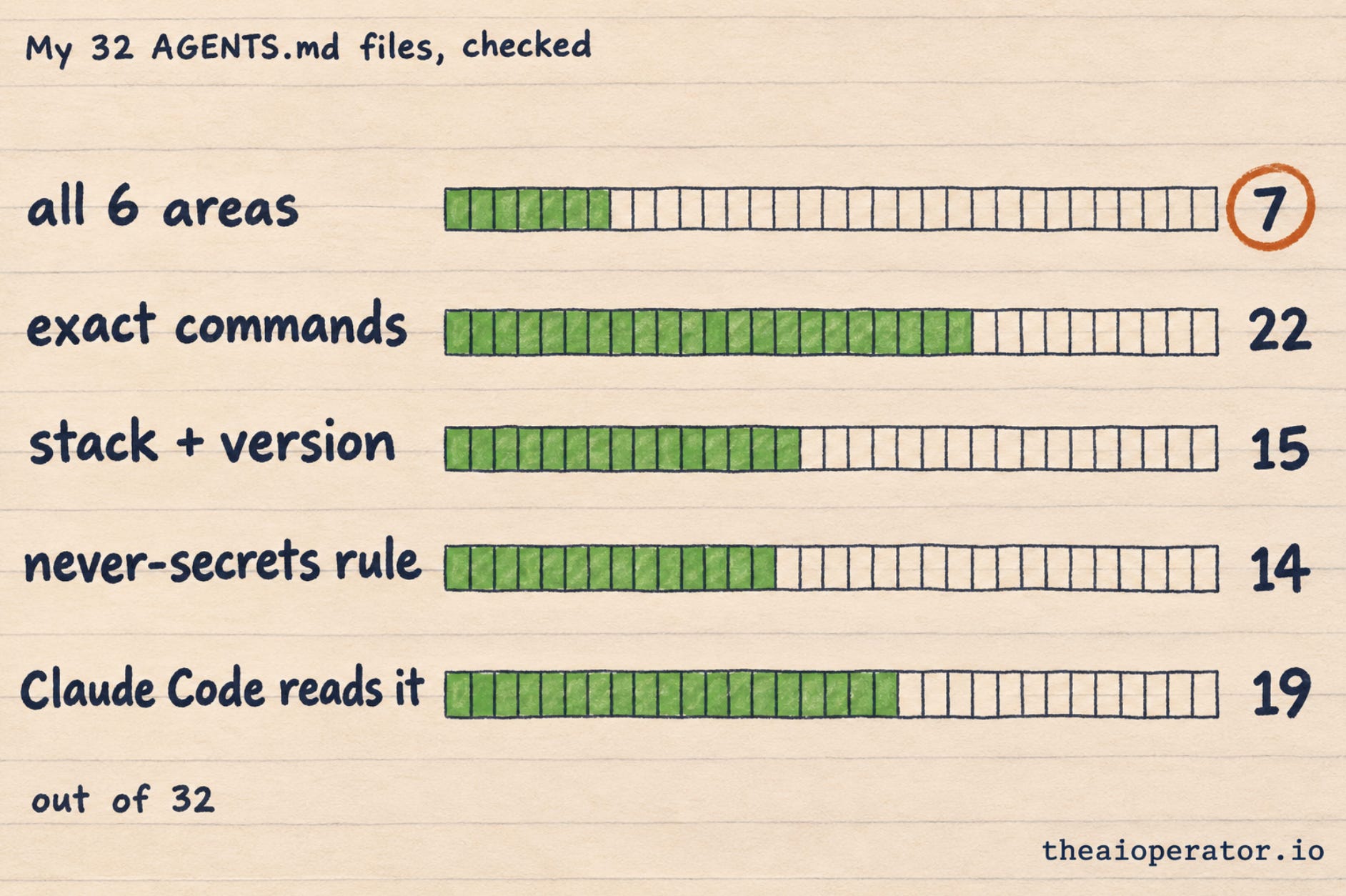
I wrote a short script that read every AGENTS.md in my projects folder. A file passed an area if it said anything at all about it. That is a low bar, so the real gaps are bigger than these numbers.
Then I ran my agents-md tool to see which files Claude Code reads. Here is what came back:
All 6 areas: 7 of 32 files.
At least one exact command: 22 of 32.
A stack with a version number: 15 of 32.
A “never” rule about secrets: 14 of 32.
Read by Claude Code: 19 of 32.
Over the Codex size limit: 1 file, at 98 KiB.
The areas I missed most were testing and code style, 11 files each. Boundaries were the best covered: 27 of 32 files had at least one “never” rule.
7 AGENTS.md best practices
Each rule comes from a gap in my own files. The order is the order I’d fix them in.
1. Check that every agent reads it
A rule the agent never loads is worse than no rule. You think you’re covered, and you’re not.
Claude Code skipped 13 of my 32 files. In 8 of them, it lost rules that lived nowhere else. It reads AGENTS.md only when no CLAUDE.md, .claude/CLAUDE.md or CLAUDE.local.md sits in the same folder or above it.
The fix is one line at the top of CLAUDE.md:
@AGENTS.mdI fixed 5 projects that way the same evening. Each one passed a test where Claude Code quoted the file back to me.
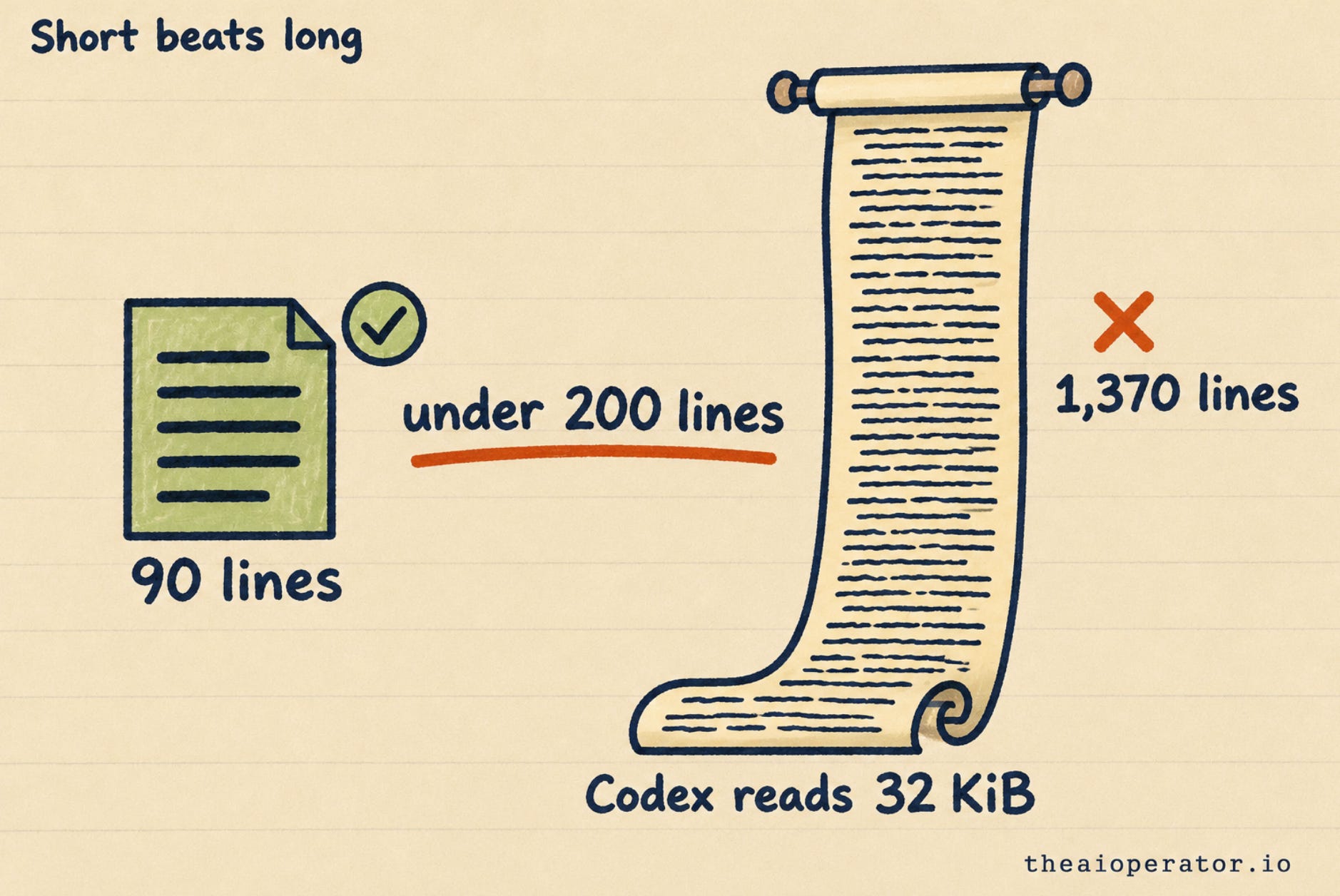
Codex has its own limit. It stops adding instruction files once they reach 32 KiB in total. My biggest file was 98 KiB, three times that. If your file is that long, split it into one AGENTS.md per folder.
2. Put exact commands first
10 of my 32 files had no exact command at all. They said things like “run the tests” and left the agent to guess how.
Write the real command, ready to copy, with its flags. Put it near the top, because the agent needs it on almost every task:
## Commands
- Install: uv sync
- Test: uv run pytest -v
- Lint: uv run ruff check .
3. Cover all 6 areas, one line each
Only 7 of my files covered commands, testing, project structure, code style, git workflow and boundaries. You don’t need a long section for each. One true line beats an empty heading.
Testing and code style were my weakest areas. For testing, say what must pass before a task counts as done. For code style, list only the rules your linter doesn’t catch.
4. Write boundaries in 3 tiers
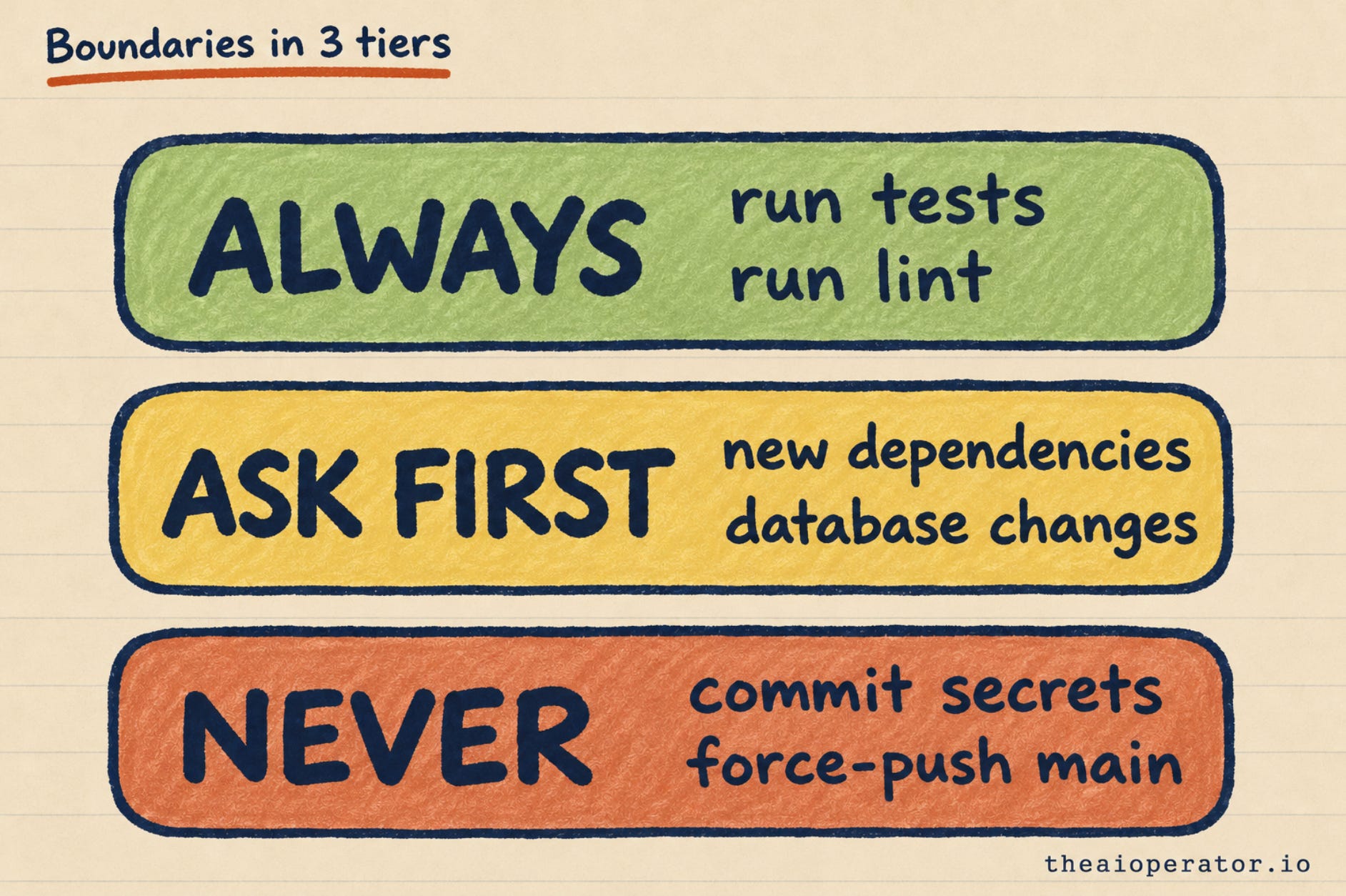
GitHub’s best files sort boundaries into three groups:
Always: run the tests before saying a task is done.
Ask first: new dependencies, database changes, anything that touches deploys.
Never: commit secrets or .env files, edit generated code, force-push main.
Only 14 of my 32 files told the agent never to commit secrets. That was the most common helpful rule in GitHub’s study, and I’d left it out of more than half my files.
5. Name your stack with versions
Only 15 of my files named a version. “Python project” makes the agent guess. “Python 3.12 with uv and FastAPI” doesn’t.
Versions matter most where tools changed fast. An agent that assumes an old version writes code that doesn’t run.
6. Keep it short, and cut the overview
Anthropic’s docs suggest under 200 lines for CLAUDE.md, because longer files cost context and get followed less. The same goes for an AGENTS.md you import into it.
My middle file had 90 lines. My longest had 1,370. Most of that length was explanation the agent could find by reading the code.
The second study found that overviews didn’t help. Write only what an agent can’t learn on its own. That means the odd build step, the folder it must not touch, the bug that bit you last month.
7. Keep one file, and keep it fresh
A study of 3,387 instruction files from 1,000 GitHub repos found this:
42.2% of the more popular repos kept several formats, like AGENTS.md and CLAUDE.md side by side.
When those files covered the same topic, 16.1% gave different advice.
40.4% of files were changed only once.
I had 3 folders where CLAUDE.md held a full copy of AGENTS.md. Copies drift apart. Keep the rules in AGENTS.md and import it everywhere else.
Then treat the file like code. After every incident, add one line about it.
Check your own files in 10 seconds
I added this check to agents-md on 22 November. Run it in any project:
npx @eugeniughelbur/agents-md --checkIt tells you three things:
whether Claude Code reads your AGENTS.md
which of GitHub’s 6 areas have a heading
how close the file is to the Codex size limit
To check every project at once, point it at a folder:
npx @eugeniughelbur/agents-md --scan ~/codeIt prints one line per project, marked ok or SKIPS. Add --fix-claude --dry-run to see the one-line fix before it touches anything. The check exits with an error while a project is skipped, so you can run it on every pull request.
A template that covers all 6 areas
Start here and replace each line with your real values:
# AGENTS.md

## Commands
- Install: npm ci
- Test: npm test -- --run
- Lint: npm run lint

## Testing
- Tests live in tests/. All must pass before a task is done.

## Project structure
- src/ holds the app. scripts/ holds one-off tools. Never edit dist/.

## Code style
- TypeScript strict mode. Named exports only.

## Git workflow
- Branch from main. One change per pull request. Title: "area: what changed".

## Boundaries
- Always: run tests and lint before saying a task is done.
- Ask first: new dependencies, database changes, CI changes.
- Never: commit secrets or .env files, force-push main.
That is 22 lines. Add a line only when an agent gets something wrong.
Want the ready-made version? The Vault has AI tools for paid members, each set up in 10 minutes or less.
Frequently asked questions
What are the best practices for AGENTS.md?
Put exact commands first, cover commands, testing, structure, code style, git workflow and boundaries, and sort boundaries into always, ask first and never. Name your stack with versions. Keep it short, and check that every agent you use reads it.
How long should an AGENTS.md file be?
Short. Anthropic suggests under 200 lines for CLAUDE.md, and the same applies to an AGENTS.md you import. Codex stops loading instruction files at 32 KiB in total by default.
What should I include in AGENTS.md?
Commands, testing rules, project structure, code style, git workflow and boundaries. Leave out overviews the agent can learn from the code. One study found they don’t help.
Does AGENTS.md help coding agents?
It depends on what’s in it. One study found 28.64% lower median runtime with the file. Another found no gain in task success and over 20% higher cost. Files with rules the agent can’t guess do best.
Why does Claude Code ignore my AGENTS.md?
A CLAUDE.md, .claude/CLAUDE.md or CLAUDE.local.md exists in the folder or above it. Claude Code then skips AGENTS.md without a warning. Put @AGENTS.md on the first line of CLAUDE.md.
How do I check my AGENTS.md?
Run npx @eugeniughelbur/agents-md --check in your project. It shows whether Claude Code reads the file, which of the 6 areas have a heading, and the file size.
Key takeaways
Only 7 of my 32 AGENTS.md files covered all 6 areas from GitHub’s study of over 2,500 files.
Claude Code skipped 13 of the 32, and in 8 it lost rules found nowhere else.
Exact commands near the top and a 3-tier boundaries list are the two highest-value parts.
Short beats long: one study found overviews don’t help and context files can raise cost by over 20%.
Keep one AGENTS.md and import it, because copies in other formats drift apart.
npx @eugeniughelbur/agents-md --checktests your file in 10 seconds.
Further reading
GitHub: how to write a great agents.md, lessons from over 2,500 repositories
Evaluating AGENTS.md: are repository-level context files helpful for coding agents? (arXiv)
On the impact of AGENTS.md files on the efficiency of AI coding agents (arXiv)
An empirical study of agent instruction files in 1,000 repositories (arXiv)
About the author
I’m Eugeniu Ghelbur. I build AI agent systems and the tooling around them, and I write The AI Operator. I maintain obsidian-second-brain, an open-source Claude Code skill that runs an Obsidian vault as a living second brain. It’s MIT-licensed and starred by over 5,400 people on GitHub. I also maintain agents-md, the AGENTS.md tool from this post.