


TL;DR
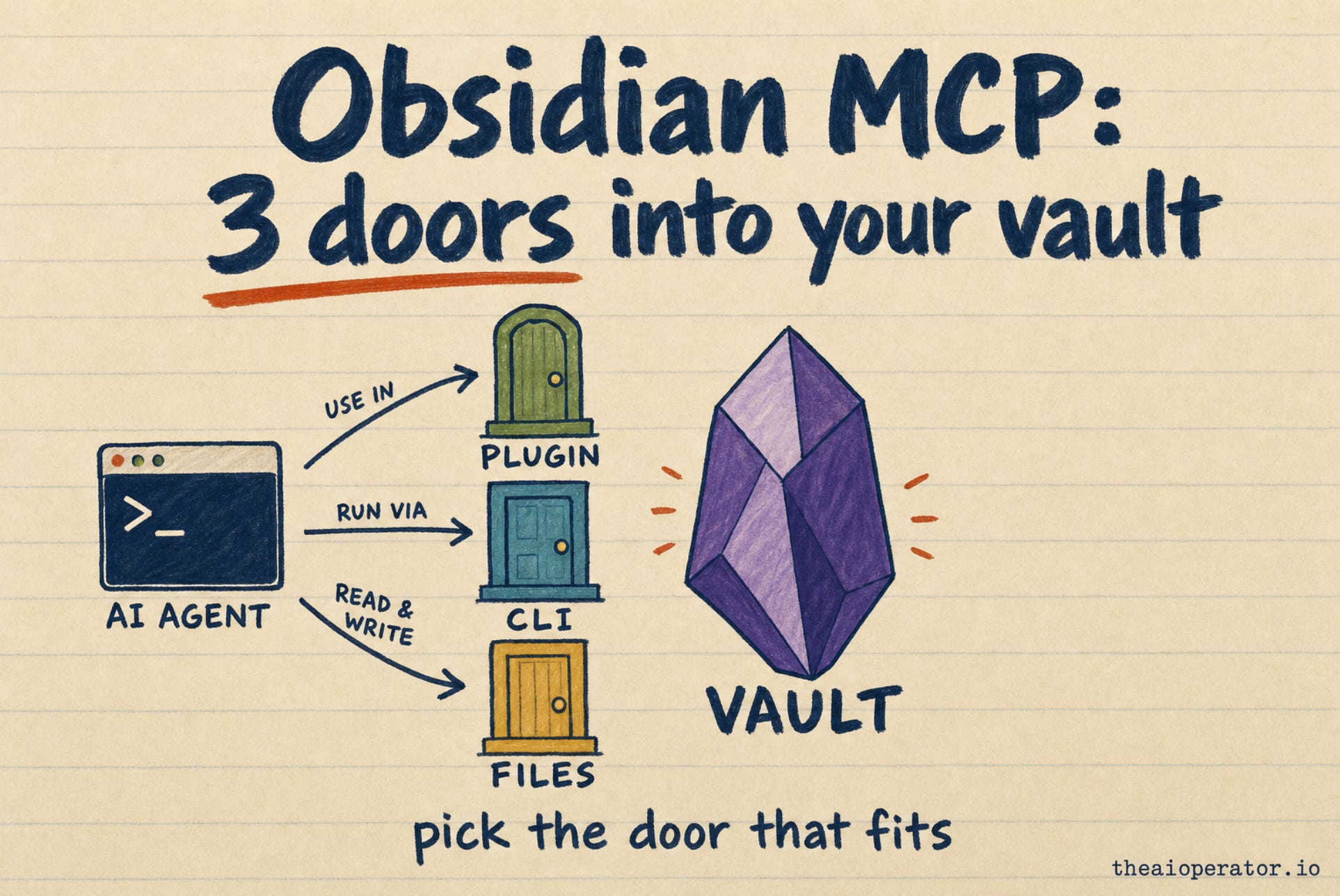
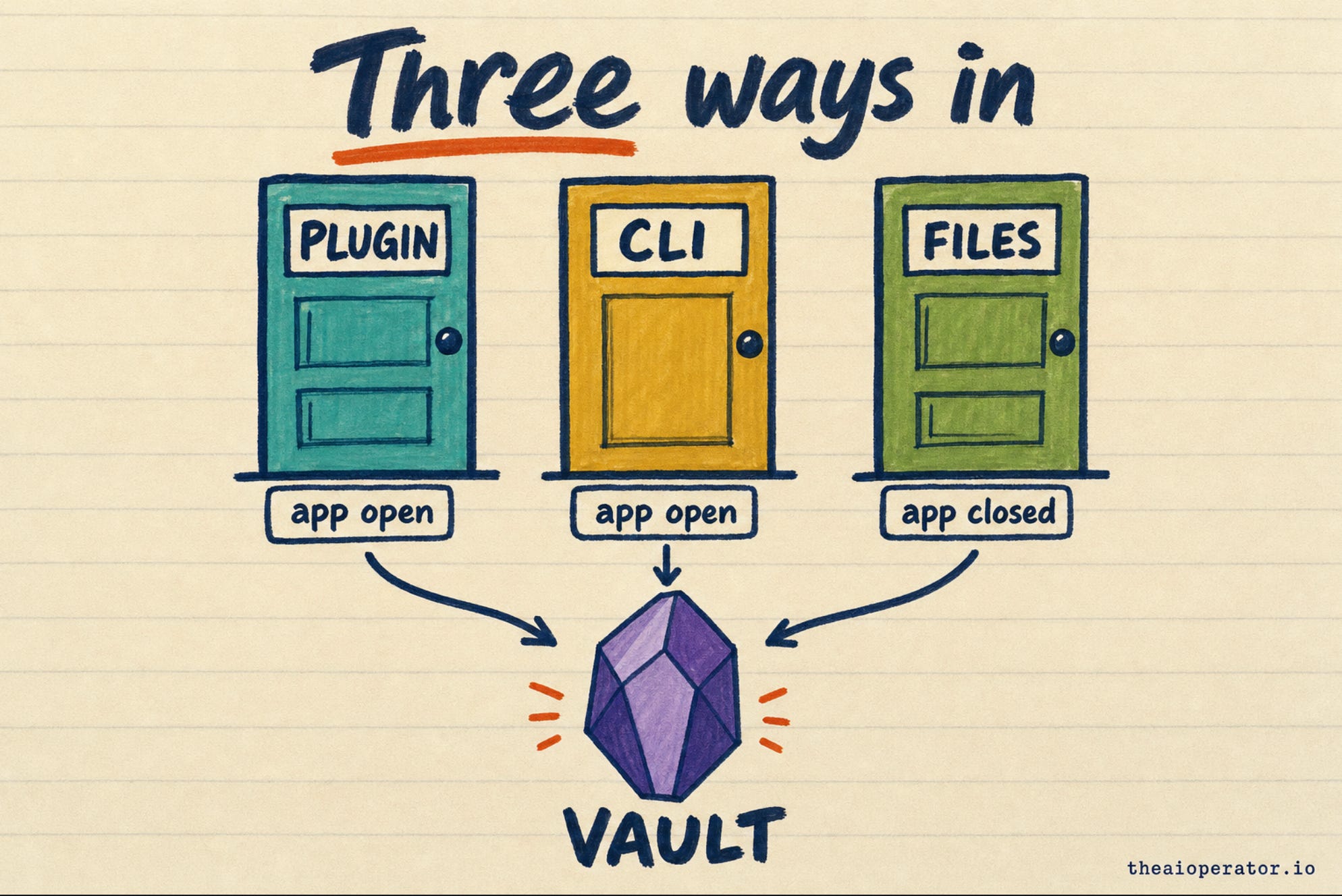
You can give an AI agent your Obsidian vault three ways: the Local REST API plugin, the official Obsidian CLI, or a server that reads the files directly.
The first two need Obsidian open. The third works with the app closed, so pick one with safe write rules.
If you run Claude Code or Codex inside your vault folder, you may not need MCP at all.
Your notes get more useful the moment your AI agent can search them. The wiring takes one command. Picking the wrong setup costs more: an app that must stay open, an API key in a config file, or a delete button you never meant to hand over.
I maintain obsidian-second-brain, an open-source second brain for AI agents with over 5,000 stars on GitHub. It ships its own Obsidian MCP server, so I have read most of the others while fixing mine. In October I showed how to build an Obsidian second brain every AI agent can use. This post covers the step before that: how the agent gets in.
What is Obsidian MCP?
MCP stands for Model Context Protocol. It is a shared plug format that lets an AI app call outside tools. An Obsidian MCP server turns your vault into tools such as search, read and write. Claude Code, Codex, Cursor and Claude Desktop can all call them.
Obsidian itself does not ship an MCP server. Every option below comes from the community or from Obsidian’s own command line.
The setups differ in three ways that matter more than their names:
Does Obsidian need to be open?
Can the agent delete notes?
Which AI apps can connect?
Door 1: the Local REST API plugin
Local REST API is a community plugin with 3,129 stars on GitHub as of November 8, 2026. It runs a small web server inside Obsidian on your own machine, at port 27124. It now includes a built-in MCP server, so an agent can connect with nothing else installed.
The popular mcp-obsidian server, at 4,524 stars, talks to the same plugin. Its README lists seven tools, including one that deletes files.
Who it suits: people who live inside Obsidian and want the agent to see the note they have open.
The catch: Obsidian must stay open, or the doorway closes. The plugin allows full read, write and delete, so the agent can do anything you can. Requests need an API key, which ends up in your agent’s config.
Door 2: the official Obsidian CLI
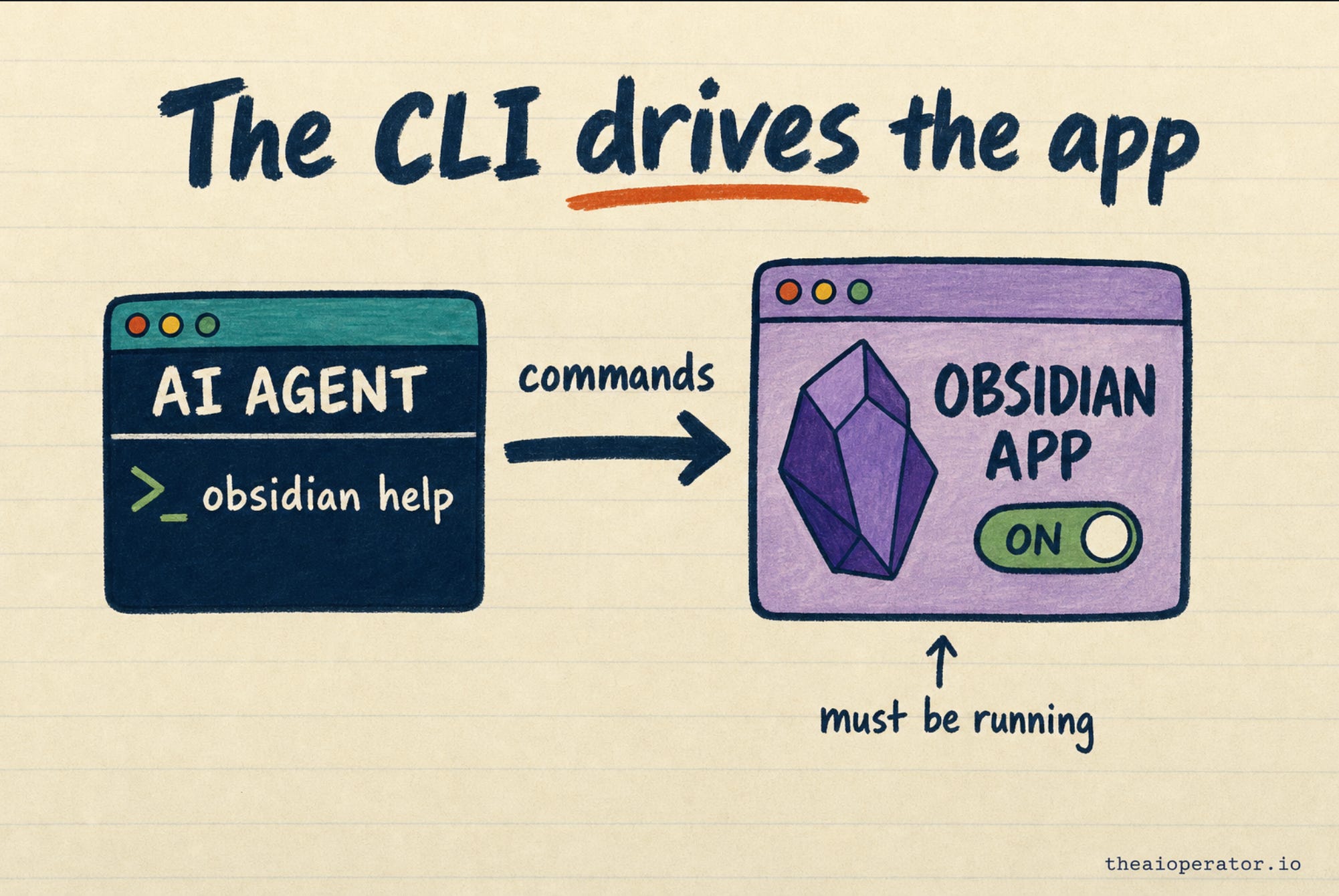
Obsidian now ships a command line. You turn it on under Settings, then General, then Command line interface. Obsidian’s help page says anything you can do in the app, you can do from the terminal.
Claude Code and Codex already run terminal commands. So they can call the CLI with no MCP server in between. Community MCP wrappers around the CLI exist, but each had fewer than 10 stars on November 8, 2026.
Who it suits: people who want the agent to use Obsidian’s own features, like plugins and settings, not only the files.
The catch: the app must be running. If it is closed, the first command opens it. The CLI also gives the agent broad control, so treat it like handing over your keyboard.
Door 3: servers that read the files directly
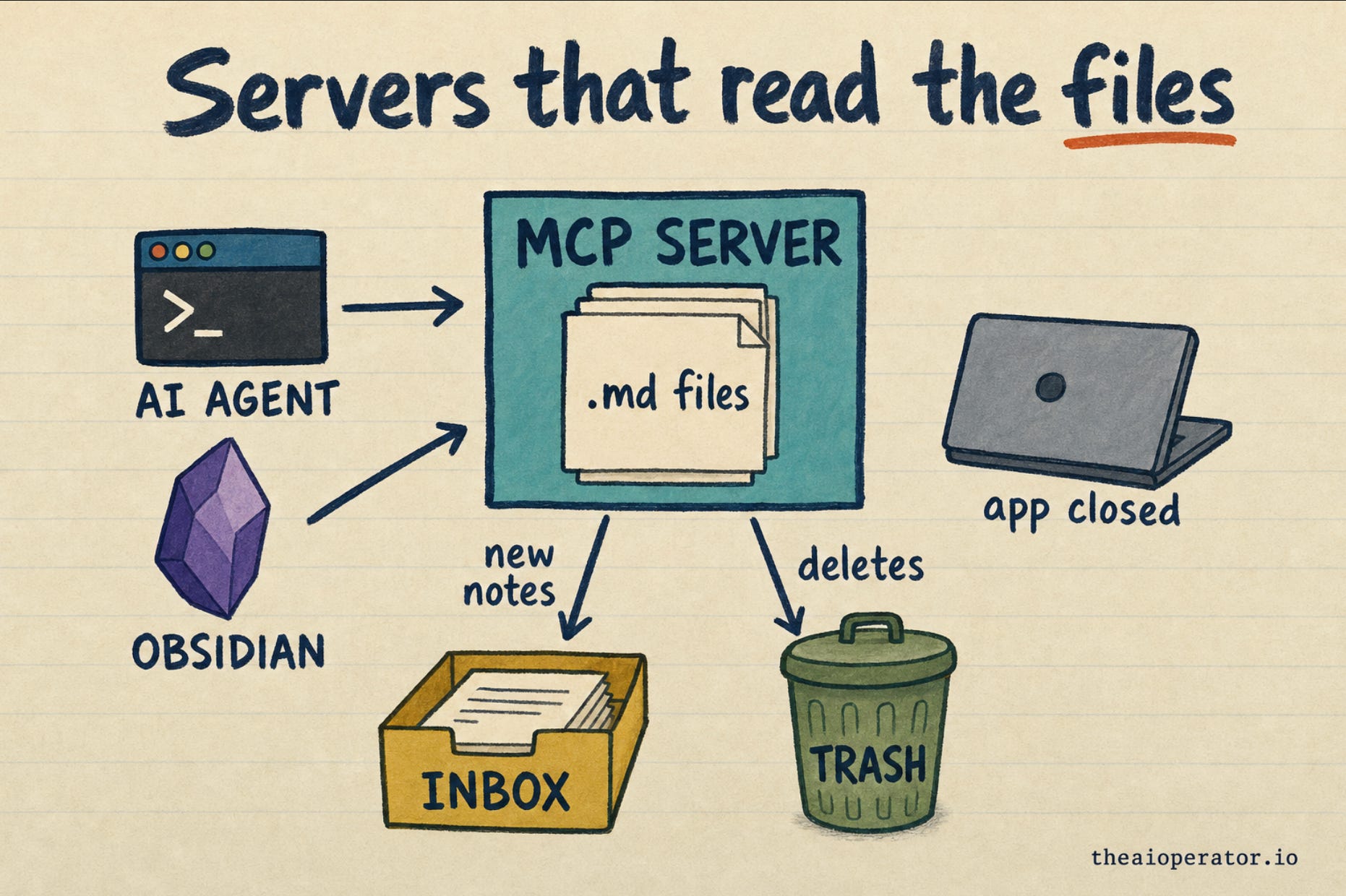
An Obsidian vault is a folder of Markdown files. Some servers skip the app and work on that folder.
The best-known one is obsidian-mcp by Steven Stavrakis, at 750 stars. Version 2 needs Node.js 22 or newer. Its safety design is careful: deletes go to a trash folder by default, edits can check that the note did not change first, and it keeps recovery snapshots.
My own server in obsidian-second-brain also works this way. It has 12 tools. New notes land in an Inbox folder. Edits to existing notes are guarded, and it has no delete tool at all. After every write it checks the note, adds it to the index and logs the change.
Its limits, stated plainly:
It is still version 0.
Search is keyword-based unless you add the optional meaning-based layer.
In July an MCP library update broke it for new installs. Pinning the library version fixed it.
Who it suits: people who want the agent to work while Obsidian is closed, such as background jobs or a second agent.
The catch: the server holds your files. Obsidian’s own features, like Bases or plugins, do not run.
When to skip MCP
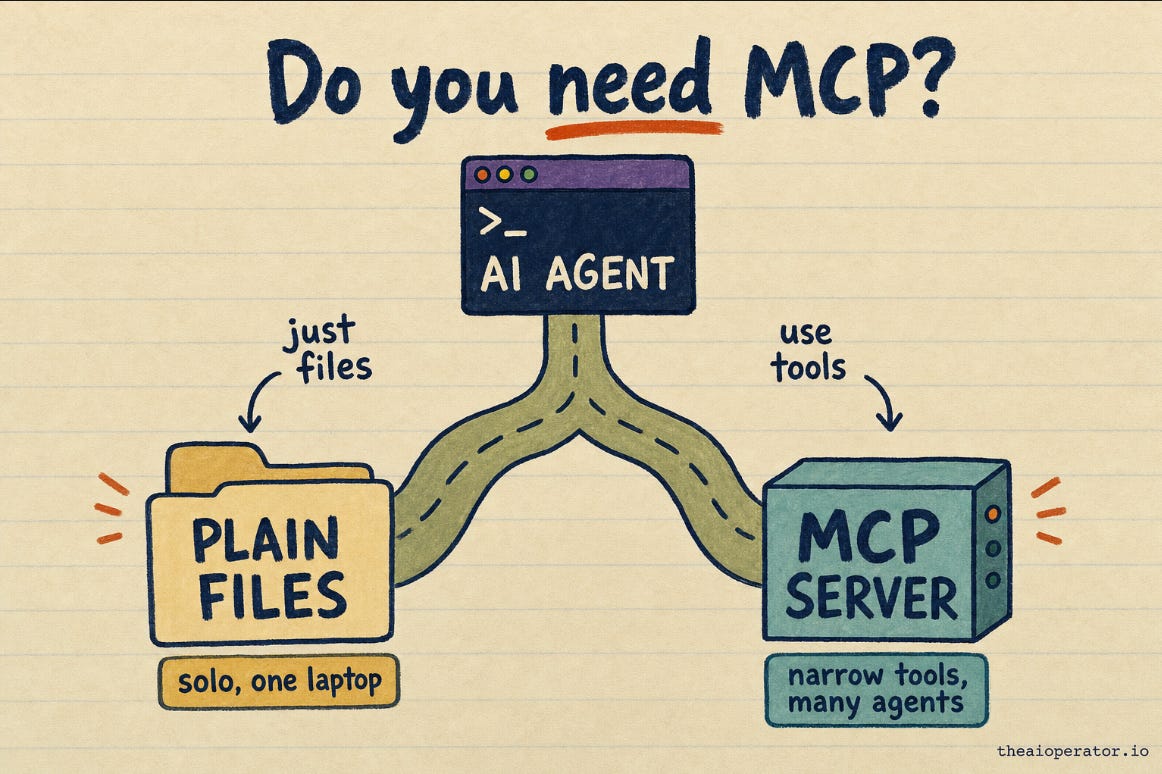
Claude Code and Codex already read and write files. Start either one inside your vault folder and it can search your notes with no server at all. For a solo setup on one laptop, that can be enough.
MCP earns its place in three cases:
Your AI app cannot touch files, like Claude Desktop.
You want the agent to have fewer, narrower tools than a full terminal.
Several agents need the same doorway into one vault.
Which setup fits you
Local REST API plugin: needs Obsidian open. Can delete. Works with Claude Code over HTTP.
Official Obsidian CLI: needs Obsidian open. Broad control. Works with any agent that runs terminal commands.
obsidian-mcp v2: works with Obsidian closed. Deletes go to trash. Works with Claude Code and Codex.
obsidian-second-brain server: works with Obsidian closed. No delete tool. Works with Claude Code and Codex.
Copy-paste configs for Claude Code and Codex
I checked each command against the tool’s own docs on November 8, 2026. Replace the paths and the key with yours.
Local REST API plugin, Claude Code (from the plugin’s README):
claude mcp add --transport http obsidian https://127.0.0.1:27124/mcp/ \
  --header "Authorization: Bearer <your-api-key>"
I have not tested this plugin with Codex. It uses a self-signed certificate, so check its README first.
obsidian-mcp v2:
claude mcp add obsidian -- npx -y obsidian-mcp@2 serve --vault notes=/absolute/path/to/vault
codex mcp add obsidian -- npx -y obsidian-mcp@2 serve --vault notes=/absolute/path/to/vault
obsidian-second-brain server:
claude mcp add obsidian-second-brain -e OBSIDIAN_VAULT_PATH=/path/to/vault \
  -- uv run --no-project --with 'mcp<2' python /abs/path/integrations/obsidian-mcp-server/server.py
codex mcp add obsidian-second-brain --env OBSIDIAN_VAULT_PATH=/path/to/vault \
  -- uv run --no-project --with 'mcp<2' python /abs/path/integrations/obsidian-mcp-server/server.py
If you install obsidian-second-brain as a Claude Code plugin, the server comes with it.
What happened when I tested mine
I use my server every day on a vault of 4,030 notes. On November 8 I asked it to search for “obsidian mcp server”. The top result was my own July log, the day we cut the server’s tool names in half. Old work came back in one call, with the app closed.
That memory layer is the part I care about most. I wrote up how it works in how I gave Claude Code memory without a vector DB.
Three rules before you give an agent write access
Start with read-only or no-delete tools, then add more once you trust the setup.
Keep the vault in git or a backup, so one bad edit is one revert.
Treat note text as untrusted. A clipped web page can carry instructions the agent may follow.
Start with the door that matches how you already work. Then narrow the tools until the agent can do the job and nothing more. If you try my server and it breaks, open an issue. Fourteen people have already filed MCP issues or fixes.
Frequently asked questions
What is an Obsidian MCP server?
It is a small program that exposes your Obsidian vault to AI apps as tools, such as search, read and write. Apps that speak MCP, like Claude Code, Codex and Claude Desktop, can then use your notes.
Does Obsidian have an official MCP server?
No. As of November 2026, Obsidian ships an official command line, not an MCP server. The MCP servers, including the Local REST API plugin, are community projects.
Do I need Obsidian open to use MCP?
It depends on the setup. The Local REST API plugin and the official CLI need the app running. File-based servers like obsidian-mcp and obsidian-second-brain work with it closed.
Can Claude Code use Obsidian without MCP?
Yes. Start Claude Code inside your vault folder and it can read and write the Markdown files directly. MCP helps when you want narrower tools or several agents sharing one vault.
Is it safe to give an AI agent write access to my vault?
It can be, with limits. Start with read-only or no-delete tools, keep the vault in git, and treat clipped notes as untrusted text.
Which Obsidian MCP server works with Codex?
File-based servers launched by a command, such as obsidian-mcp and obsidian-second-brain, work with codex mcp add. I have not tested the Local REST API plugin with Codex.
Key takeaways
Obsidian has no official MCP server. The options come from community plugins, file-based servers and Obsidian’s own CLI.
The Local REST API plugin and the official CLI need Obsidian running. File-based servers do not.
Delete rules differ the most: full delete, delete to trash, or no delete tool at all.
Claude Code and Codex can work in a vault folder with no MCP server.
MCP pays off when the app cannot touch files, when you want narrow tools, or when several agents share one vault.
Back up the vault before you give any agent write access.
Further reading
About the author
I’m Eugeniu Ghelbur. I build AI agent systems and the tooling around them, and I write The AI Operator. I maintain obsidian-second-brain, an open-source Claude Code skill that runs an Obsidian vault as a living second brain. It’s MIT-licensed and starred by over 5,000 people on GitHub.