


TL;DR
Ask AI to explain something and you get a wall of text you have to re-read three times.
I built doceo, an open-source Claude Code skill that turns any topic, file, folder, or URL into a one-screen visual lesson: one answer, one diagram, one analogy, a quiz.
It runs locally, remembers what you already know, and gets sharper after every lesson.
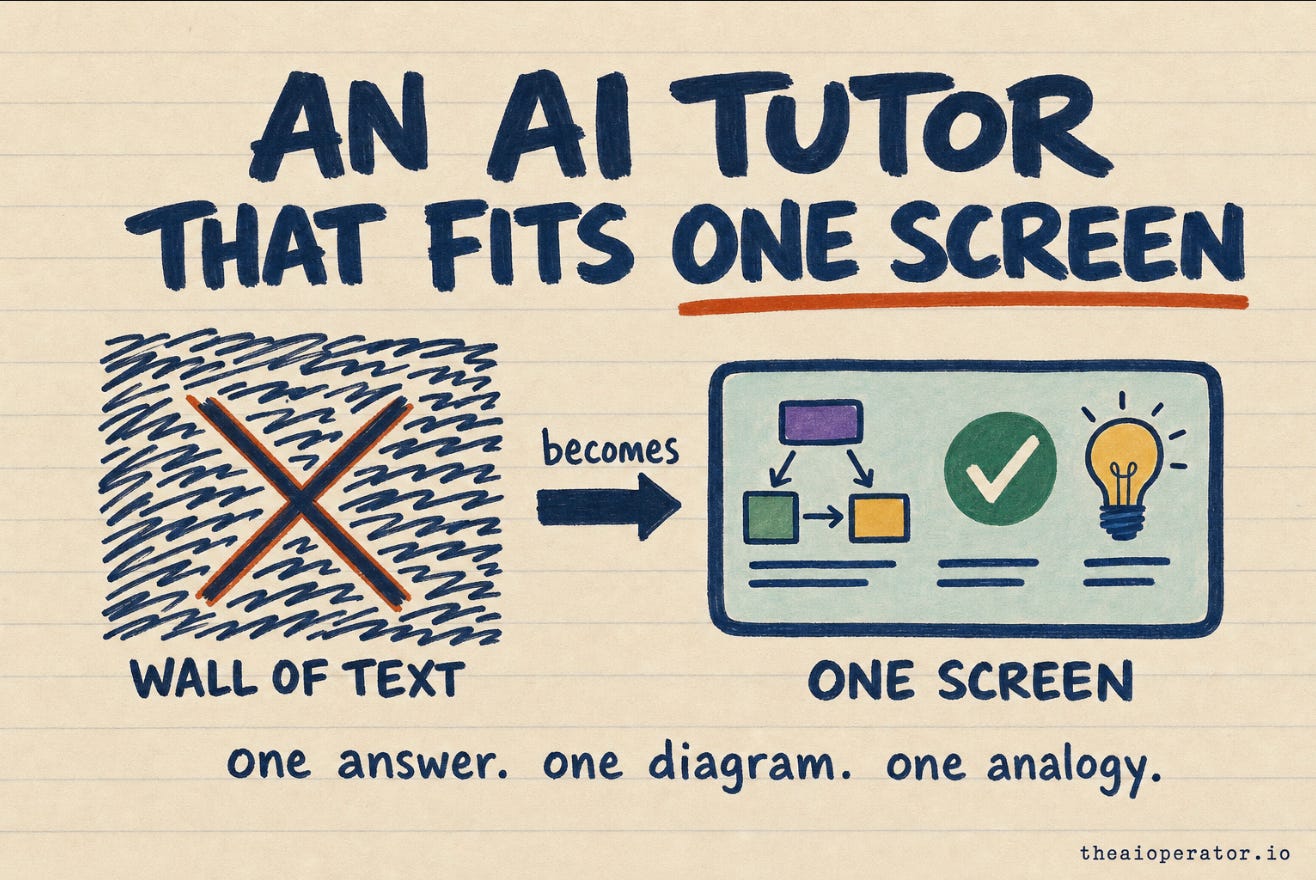
doceo is a free, open-source Claude Code skill that turns any topic, file, or URL into a one-screen visual lesson: one plain answer, one diagram, one analogy, and a quick quiz. Here is why I built it.
I ask AI to explain things all day. A new codebase, a config format I have not touched in a year, a concept three layers below what I actually work on.
The answer is almost always the same shape. A wall of text. Correct, thorough, and impossible to hold in my head. I read it, I get the gist, and an hour later I could not redraw it for you.
The problem is not the model. The model knows the thing. The problem is the format. A paragraph is how you store an explanation, not how you learn one.
So I built a tool that changes the format. It is called doceo, Latin for “I teach”, and it is a Claude Code skill I open-sourced. This is what it does and why it works.
A lesson is not a paragraph
Before I wrote any code I wrote down what a lesson should actually contain. Not an article. A lesson. The kind a good teacher gives you at a whiteboard in five minutes.
It has a shape:
One sentence that answers the question directly, before anything else.
One diagram, because a picture holds in memory where a paragraph does not.
One analogy that maps the new thing onto something you already understand.
Where it fits, so the idea has a place to live next to what you know.
Baby steps, when the thing you asked is a task and not a concept.
A short self-quiz, because you do not know a thing until you can answer a question about it.
A couple of go-deeper links for when you want the full version.
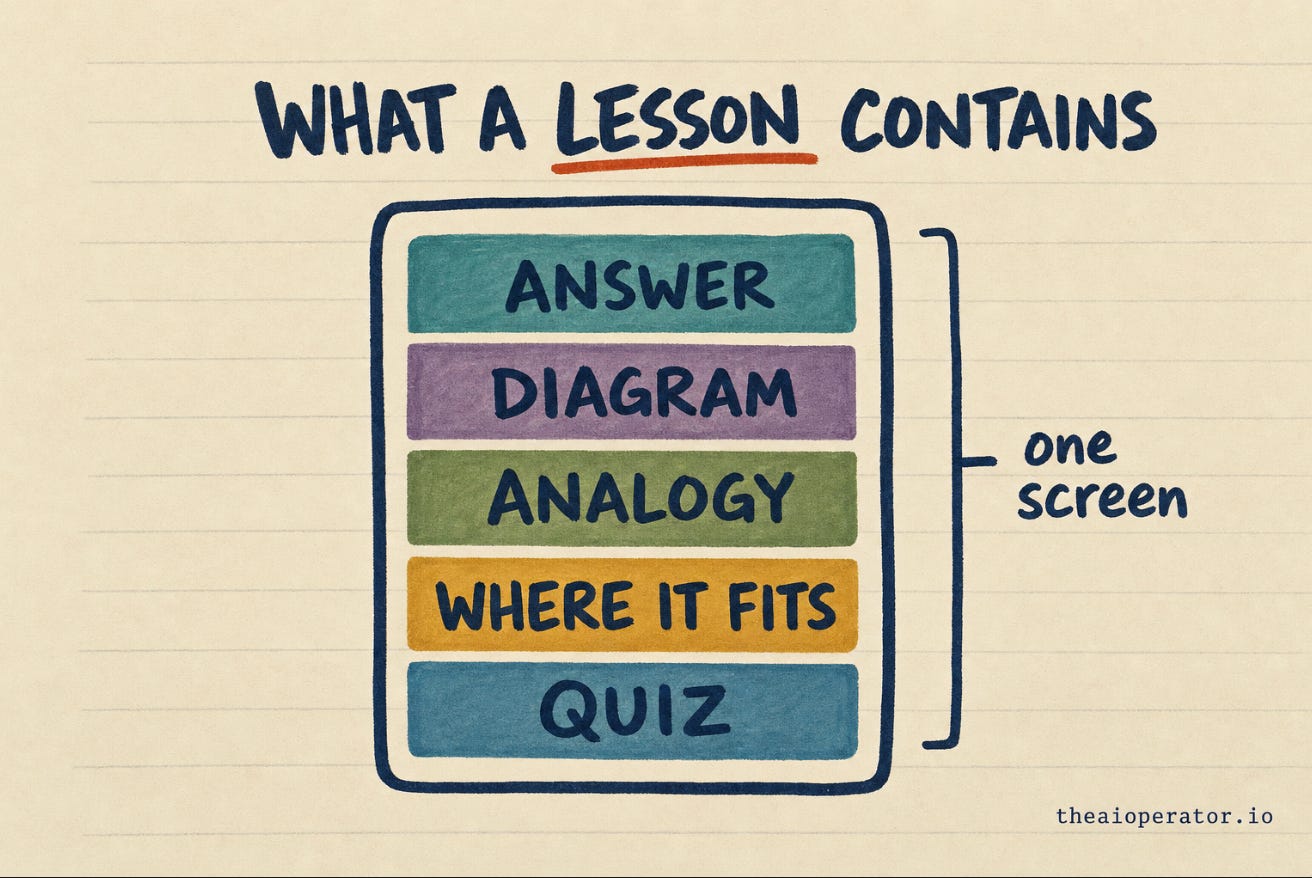
That is the whole spec. One screen, seven parts. If it does not fit on one screen, it is not a lesson yet, it is reading.
What I built
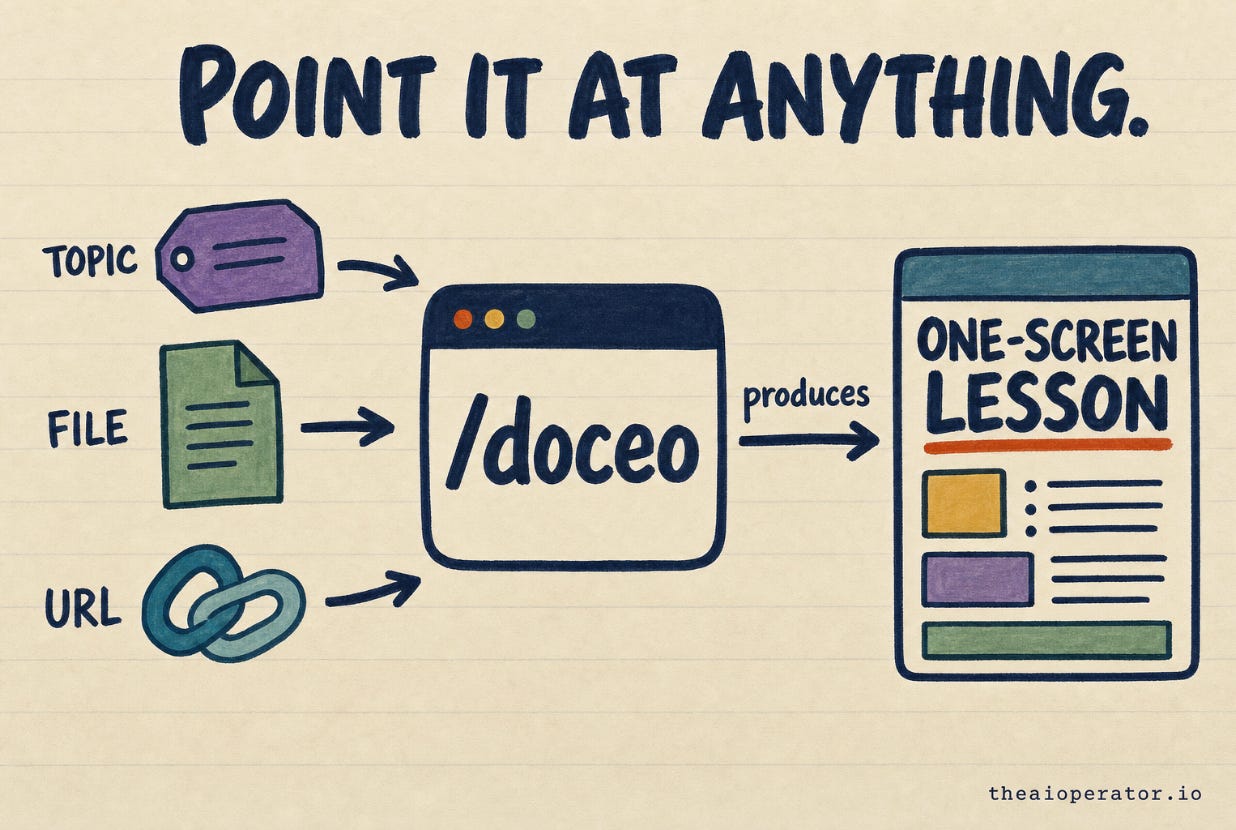
doceo is a slash command. You type /doceo and point it at anything:
a topic (”explain vector databases”)
a file or a folder (”what does this script do”)
a URL (”teach me this docs page”)
It produces two things. A one-screen visual lesson as an HTML artifact you can open in a browser, and a plain markdown note that lands in my vault so the lesson does not evaporate when I close the tab.
It is a Claude Code skill, so there is no app to install and no account to make. It is a folder of instructions Claude reads. It is public on GitHub under MIT. I built the first version and pushed it live the same day, which matters for a reason I will get to.
This is the same pattern I have used before with obsidian-second-brain: a small, sharp skill that does one thing, lives in the open, and improves in public.
The part that matters: it remembers you
A generic explainer treats every reader as the same blank person. That is why the answers are so long. The tool has no idea what you already know, so it explains everything, just in case.
doceo keeps a local memory of who is learning. On my machine it lives in a wiki/learning/ folder: a profile of what I already understand, a running file of things I have learned, my feedback, and a style file. It reads that at the start of every lesson.
So when I ask it to explain something adjacent to what I already know, it skips the part I know and spends the screen on the part I do not. The lesson gets shorter and sharper because it is calibrated to one specific person instead of everyone.
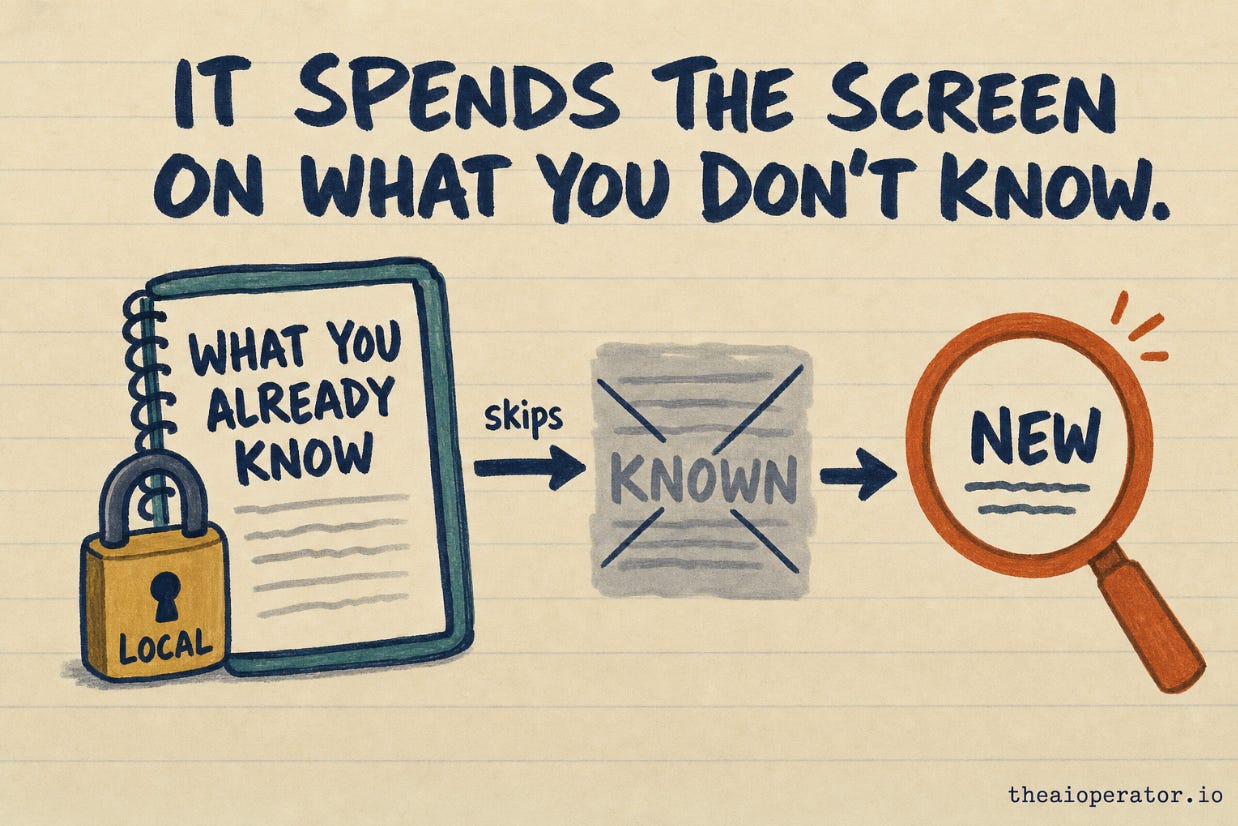
The memory is strictly local. Each machine keeps its own. Nothing personal ever ships in the repo. What is public is the skill. What is private is what it learned about me.
It gets sharper every time you use it
Here is the decision I am most sure about. I shipped doceo before it was good.
After every lesson it asks me exactly one question. Was this too long, too short, right? That answer goes into a feedback file. Then it gets distilled into rules in a learnings file, and those rules are read at the start of the next run.
So the tool corrects itself against my taste with every use. Lesson four is better than lesson one, not because I rewrote the prompt, but because it learned that my lessons were running too short and adjusted.
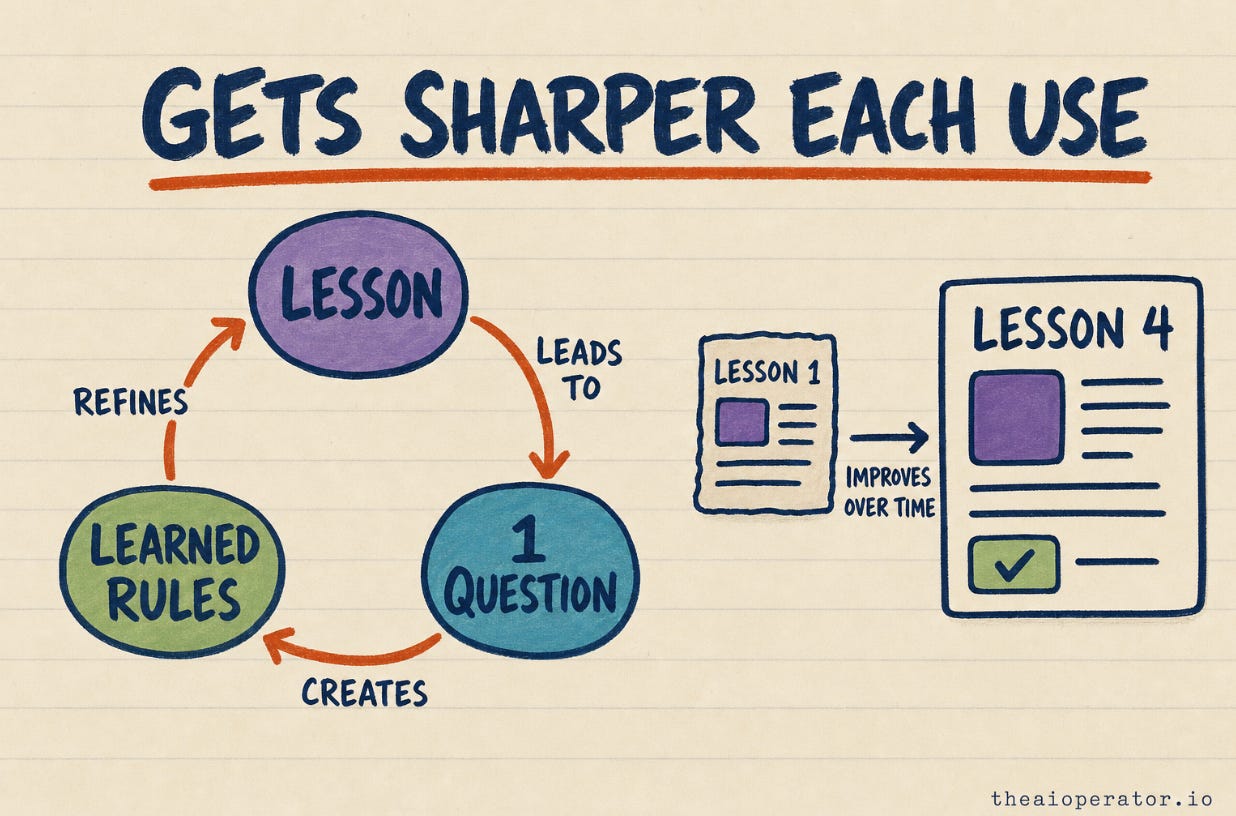
I could have polished it for a week first. I did not, on purpose. A tool with a feedback loop that ships today beats a perfect tool that ships in a month, because the today version starts learning today. This is the same bet behind what I keep in a CLAUDE.md: start rough, let real use file down the edges.
doceo vs NotebookLM, DeepWiki, and codebase walkthroughs
A fair thing to ask, since these tools sit next to each other. They do different jobs.
NotebookLM is a research surface. It summarizes and answers questions across sources you upload. DeepWiki and codebase-walkthrough tools map a repository into browsable docs. Diagram tools draw the structure of a system.
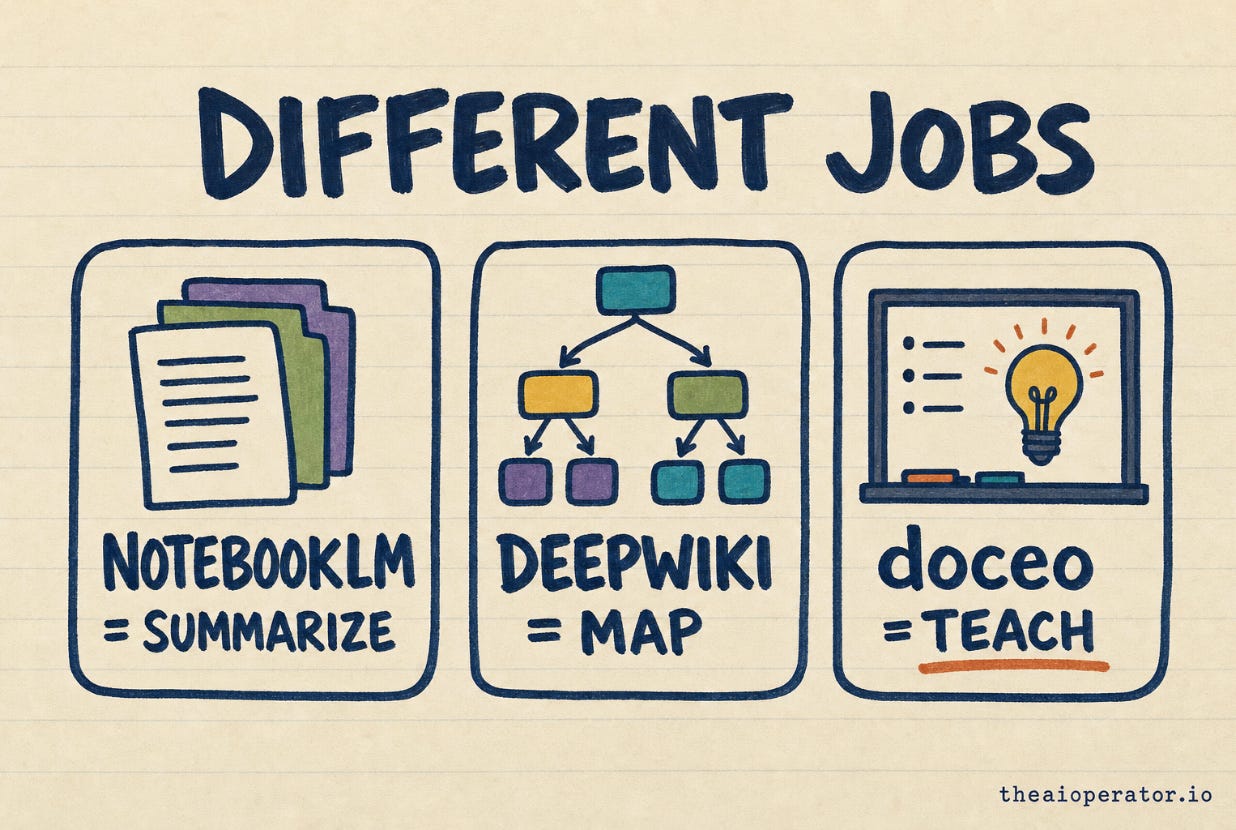
None of them teach. They summarize, map, or answer. doceo is aimed at the moment before that, when you do not yet understand the thing well enough to ask a good question about it. It hands you an analogy, a diagram, and a path, calibrated to what you already know. When I checked the field before building, that specific gap, teaching with analogy and a progressive path over mixed knowledge, was the part nothing else was doing.
Try it
The skill is public: github.com/eugeniughelbur/doceo. Clone it, drop it into your Claude Code skills, and point /doceo at the next thing you do not understand.
It will not be perfect on your first lesson. It is not supposed to be. Give it the one-question feedback, and by your fourth lesson it will fit you better than any generic explainer ever could.
Frequently asked questions
What is doceo? - doceo is an open-source Claude Code skill that turns any topic, file, folder, or URL into a one-screen visual lesson: a one-sentence answer, a diagram, an analogy, a self-quiz, and go-deeper links. The name is Latin for “I teach”.
How is it different from NotebookLM? - NotebookLM summarizes and answers questions across documents you upload. doceo teaches a single idea on one screen with an analogy and a diagram, calibrated to what you already know. Different job: NotebookLM is for research, doceo is for the moment before you understand something.
Do I need to install an app or make an account? - No. It is a Claude Code skill, a folder of instructions Claude reads. Clone the repo, add it to your skills, and run /doceo.
Where does it store what it learns about me? - Locally, in a learning folder on your own machine. Each machine keeps its own memory. Nothing personal is ever pushed to the public repo.
How does it get better? - After each lesson it asks one feedback question. The answer is saved, distilled into rules, and read at the start of the next lesson. It corrects itself against your taste over time.
Is it free? - Yes. It is open source under the MIT license.
Key takeaways
AI explanations are usually a storage format (a paragraph), not a learning format (a lesson). Changing the format does more than changing the model.
A lesson should fit one screen: one answer, one diagram, one analogy, where it fits, an optional set of baby steps, a quiz, and go-deeper links.
Calibration is what makes an explanation short. A tool that knows what you already understand can skip it and spend the screen on what you do not.
Keep the learner’s memory local. The skill is what you share, not what it learned about you.
Ship the version with a feedback loop before it is perfect. It starts improving on real use immediately, which the perfect-in-a-month version cannot.
doceo fills a specific gap next to NotebookLM and codebase-mappers: teaching with analogy and a progressive path over mixed knowledge.
Further reading
doceo on GitHub - the skill, open source, MIT.
I built this for myself. Then 1,374 strangers cloned it. - the obsidian-second-brain launch and the small-sharp-skill pattern doceo follows.
I rebuilt Karpathy’s LLM Wiki. Here’s what’s missing. - what a working knowledge tool has to do that a static one does not.
The CLAUDE.md behind a tool 3,000 developers use - the ship-rough-and-improve approach in practice.
blader/humanizer - the anti-AI-slop reference doceo’s writing pass is distilled from (github.com/blader/humanizer).
About the author
Eugeniu Ghelbur is an AI automation engineer who builds production AI systems and ships open-source Claude Code skills. He writes about AI knowledge management and agent patterns at theaioperator.io. The doceo skill described here is live on GitHub at github.com/eugeniughelbur/doceo, and his obsidian-second-brain skill has been starred by over 3,000 developers.
Nice one! As an AI teacher I can use it right away. I am on Circle right now and use their MCP, a bit of a pain.
Where’s content generated from? I have my lessons in md files with assets. Would doceo work the same if I feed it my lessons? I.e. artifact local storage logic decoupled from content generation
Do you generate one artifact per lesson? Or it’s a live artifact that gets updated?
I’m also considering visualize function for viewing my lessons packaged inside a skill (references/. I used it on other skills for auditing where you need user input. Main benefit: it keeps the session live instead Claude cowork and allow for back/forth (artifact = html = deadend).
Yeah, point it straight at your lesson md, it reads files, folders, and urls as the source. Just know it won't render your notes as-is, it re-teaches them in its own one-screen format tuned to what you already know. More teacher than viewer.
One artifact per lesson, not a live one that updates. The part that persists between lessons is the memory, not the html.
And you're right the html's a dead end, that's the real tradeoff. I keep the back and forth outside the page, the feedback question after each lesson. The live-session thing you want is a different build, not there yet.
Try it on your Circle lessons and tell me where it falls short.