


TL;DR
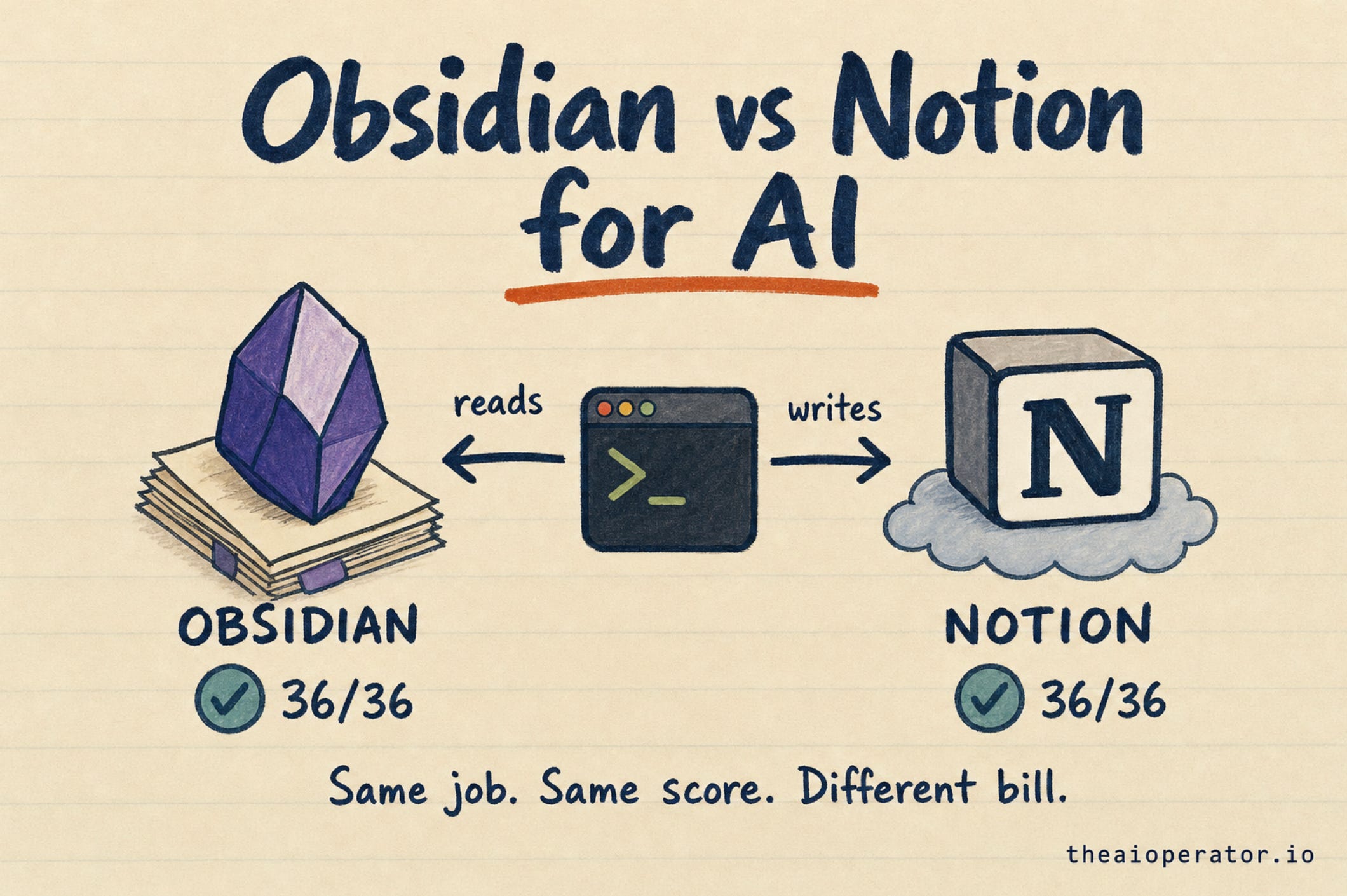
I gave Claude the same job in Obsidian and in Notion: find the 12 notes about one project among 50, and link them. Three runs each.
Both scored 36 of 36. Obsidian took 27 steps and $0.11 a run. Notion took 64 steps and $0.25.
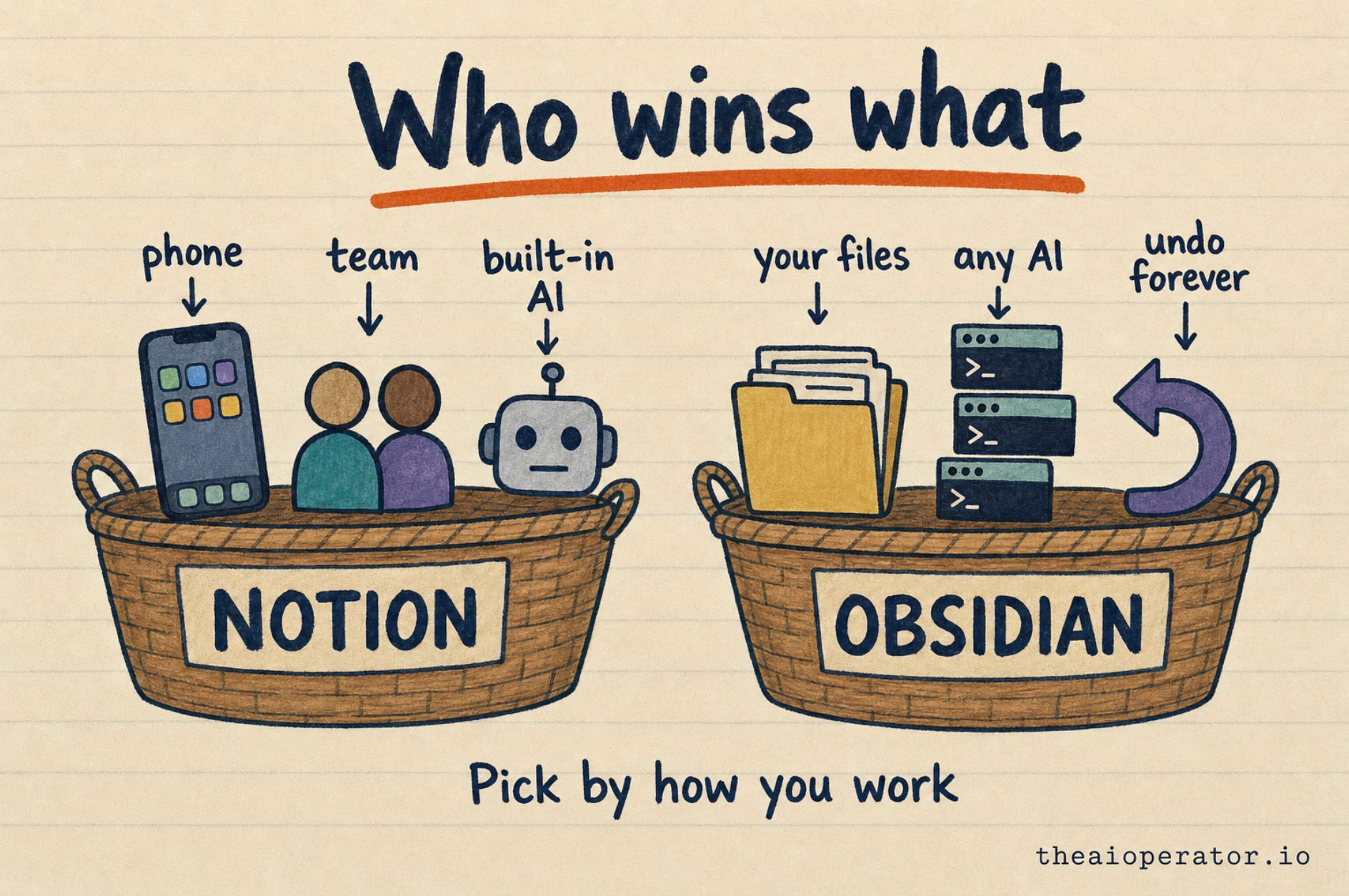
Pick Notion for teams and AI on any device. Pick Obsidian for your own files, any AI tool, and less work per job.
Most “Obsidian vs Notion” pages compare templates, prices and looks. In 2026 a new question settles it for a lot of people: can my AI work inside my notes?
So I tested it. Same job, same AI model, same day, on both apps. Here is what I found, including where Notion wins.
I maintain obsidian-second-brain, an open-source second brain for AI agents with over 5,200 stars on GitHub. In my last post I covered 3 ways to wire your Obsidian vault to AI. This one answers the question before that: which app should hold your notes?
The short answer
Both apps let AI read and write your notes now.
Notion connects to Claude, ChatGPT and Cursor through its official connector, Notion MCP. MCP is a shared plug format that lets AI apps use outside tools.
Obsidian keeps notes as plain text files on your computer. Any AI tool that can open files can work in them.
In my test both got every answer right. The difference was the work it took, and the bill.
How I tested it
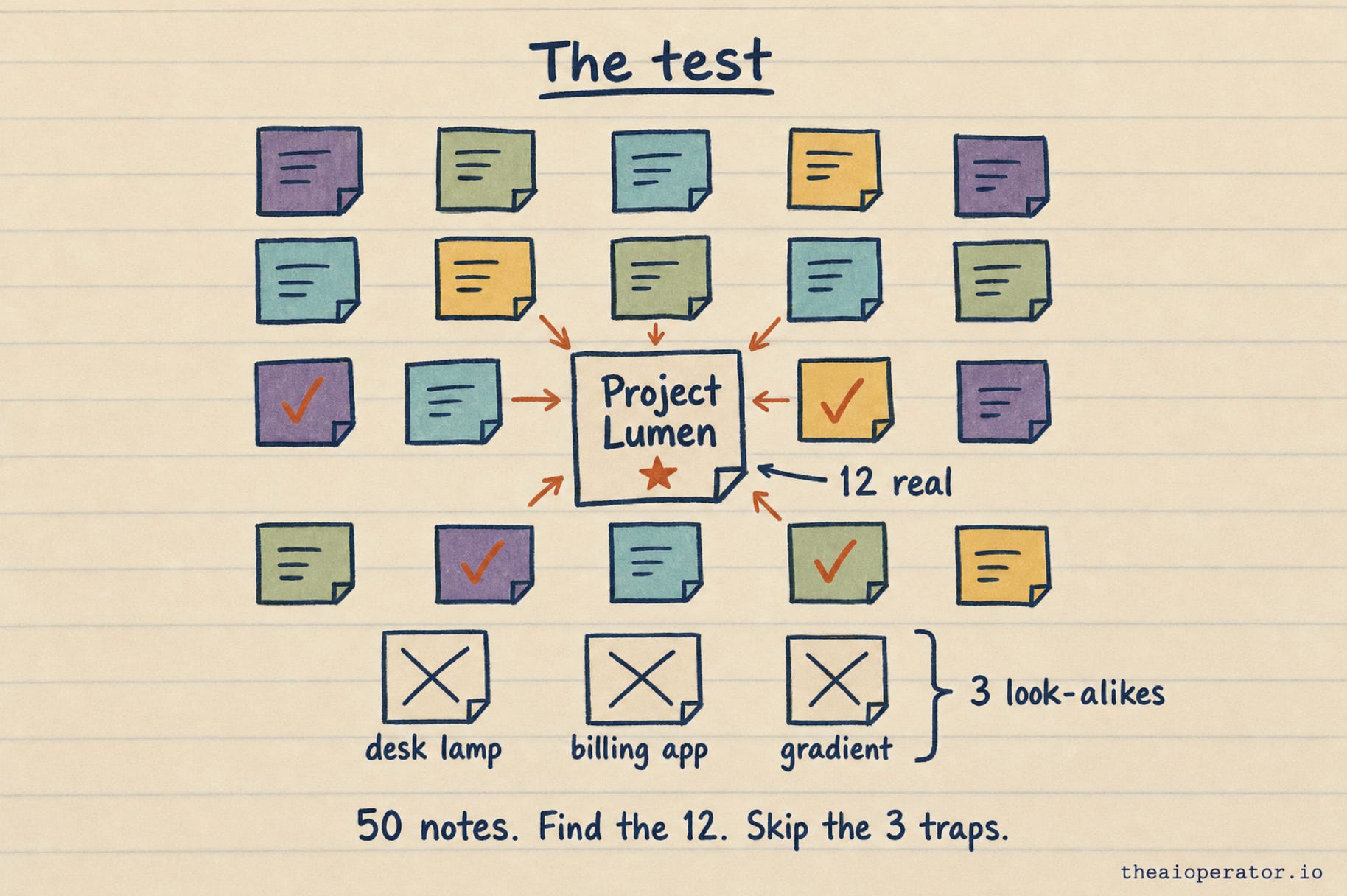
I wrote 50 fake notes for a fake person running three small projects. One project, a habit app called Lumen, had its own main note. Twelve other notes mentioned Lumen in different ways: “the lumen beta”, a heading, a bullet, the last line of a long daily note.
Three notes were traps. They used words that look similar but mean something else:
“800 lumens desk lamp”
“Lumenix Billing”, a competitor’s name
“luminous gradient” on a design moodboard
The job: find every note about Lumen and add a last line that links to the main note. Change nothing else.
The setup was the same on both sides:
Claude Code with Claude Sonnet 5.5, in a fresh session for each run.
Three runs per app, all on November 9, 2026.
In Obsidian, the agent could only search, read and edit files in the vault folder.
In Notion, the agent could only use three tools from Notion’s official connector: search, read a page and edit a page. I used my personal workspace.
The results
Here are the medians of three runs per app:
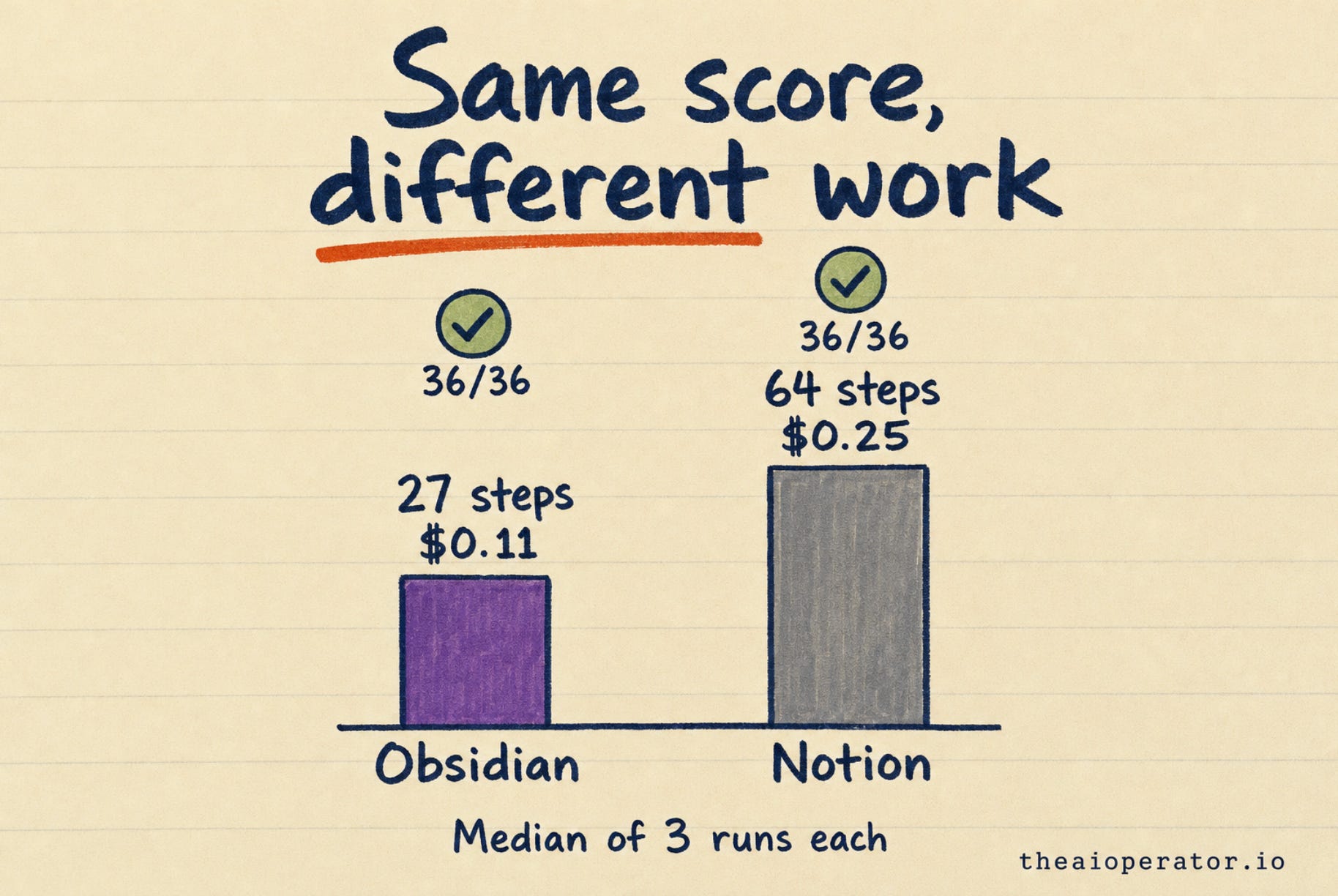
Right answers: 36 of 36 on both. No wrong links, all three traps skipped, the main note untouched.
Steps: Obsidian 27, Notion 64. A step is one tool call, like one search or one page read.
Cost at API prices: Obsidian $0.11 a run, Notion $0.25.
Time: Obsidian 34 seconds, Notion 40 seconds.
Errors and rate limits: none on either side.
The gap comes from how the agent searched. In Obsidian it ran one text search across every file, then opened only the matches. In Notion, two of three runs opened all 51 pages one by one before editing.
The third Notion run used Notion’s own search. It found all 12 notes in 16 steps and cost $0.13. So Notion can be quick too. The agent didn’t take that path every time.
What the test does not show
This was 50 notes. I did not measure 5,000. My guess is that opening every page gets slower as a workspace grows, while a text search across files stays quick. That is reasoning, not a test result.
Where Notion wins
AI from any device. Claude and ChatGPT connect to Notion after one sign-in. The link lives in your AI account, not on your laptop. A vault on your laptop needs that laptop on, or a sync service plus a server.
Teams. Shared pages, comments and permissions are Notion’s home ground. On the Enterprise plan, admins choose which AI apps may connect.
Built-in AI. Notion Agent and Custom Agents run inside Notion, with no setup on your side.
Databases. Tables, views and relations are Notion’s strongest feature.
Where Obsidian wins
Your files. Notes are plain Markdown files on your disk. No account, and no company in the middle.
Any AI tool. Claude Code, Codex, Cursor and others work in a vault folder with no connector.
Undo. Put the vault in git, a free version tracker, and every past version stays. Notion’s page history covers 7 days on Free, 30 on Plus and 90 on Business.
No rate limit. Reading local files has no cap. Notion’s API allows 180 requests a minute on most plans, and 600 on Business and Enterprise.
Price. The app is free. Obsidian Sync, the paid add-on, starts at $4 a month billed yearly.
What AI costs on each
The bill depends on whose AI does the work.
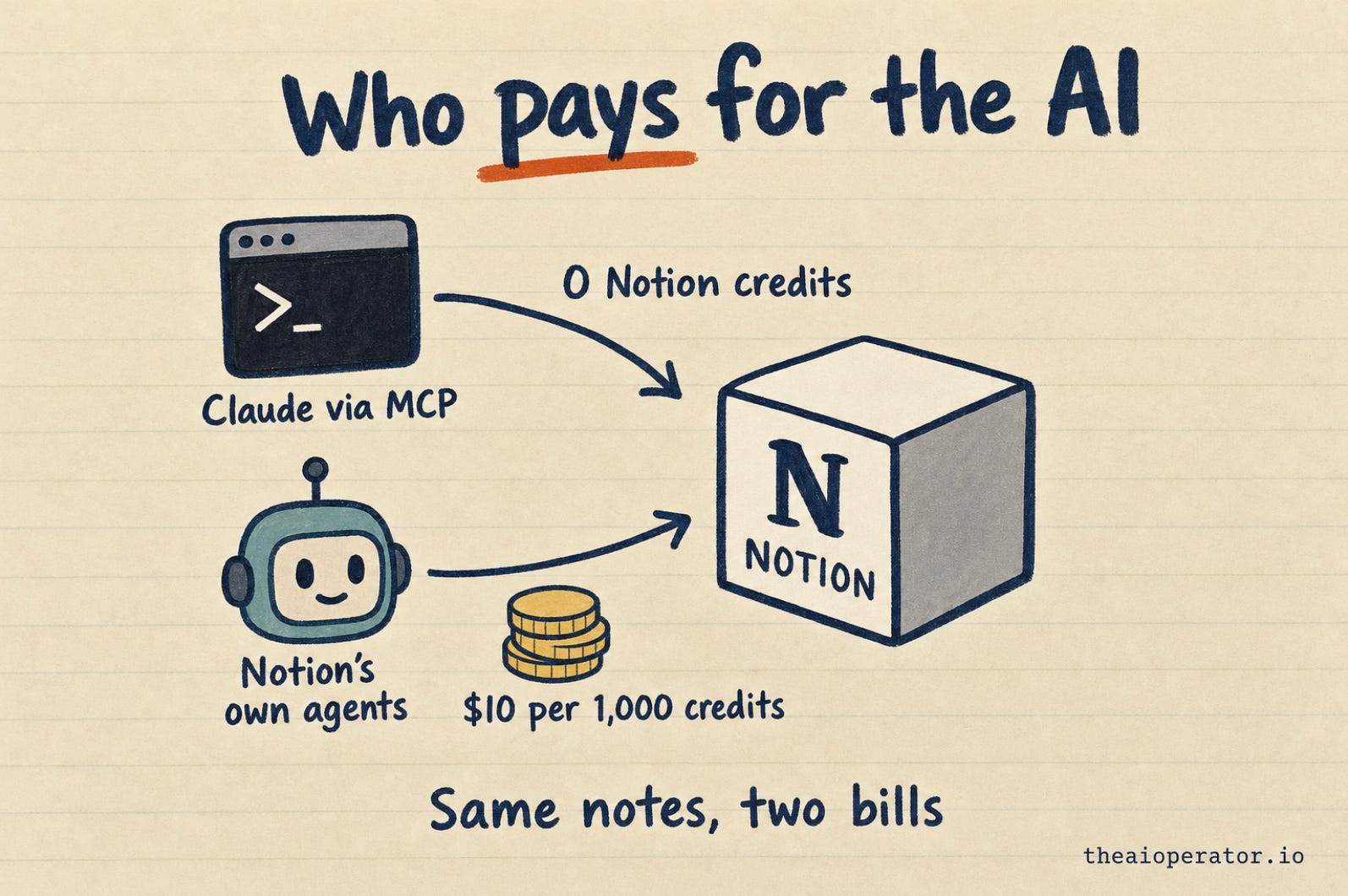
Your own AI tool in Notion. Notion’s help center says everyday reads and writes through Notion MCP and its API use no Notion credits. You pay only for your AI tool. In my test that was $0.25 a run at API prices, or covered by a Claude subscription within its usage limits.
Notion’s own Custom Agents. These spend Notion credits. Extra credits cost $10 per 1,000. Notion’s own estimates put one run at $0.03 to $0.30, depending on the job. Each Business and Enterprise member gets 1,500 Standard and 500 Select credits a month. They reset monthly and don’t roll over.
Obsidian. The app has no AI bill. Your AI tool is the only cost: $0.11 per run in my test.
Which one should you pick
Pick Notion if your team already works there, you want AI from any device, or you want built-in agents with no setup.
Pick Obsidian if you want to own your files, switch AI tools freely and keep every version.
Use both if your team’s docs live in Notion and your own notes live in Obsidian. Your AI can reach both: Notion through its connector, Obsidian through the folder.
How I run this every day
My own notes live in Obsidian, in a vault of over 4,000 notes. Claude Code reads and writes it every day.
The rules my agents follow are open source in obsidian-second-brain. It’s free and MIT-licensed. It works with Claude Code, Codex, Gemini, OpenCode, Antigravity, Hermes, Pi and Grok Bot.
To set up the same thing, start with how to build an Obsidian second brain every AI agent can use.
Frequently asked questions
Is Obsidian or Notion better for AI?
Both work. In my test both scored 36 of 36 on the same job. Obsidian took fewer steps and cost less per run, and Notion is easier for teams and for AI on any device.
Can Claude read and edit my Notion pages?
Yes. Connect Claude to Notion through Notion MCP, Notion’s official connector. It can search, read and edit pages with your permissions.
Does Notion MCP use Notion AI credits?
No. Notion’s help center says everyday reads and writes through Notion MCP and the API don’t use credits. Rate limits still apply, and you pay for your own AI tool.
Can AI agents edit Obsidian notes?
Yes. Obsidian notes are plain Markdown files. Claude Code, Codex and Cursor can read and edit them in the vault folder.
Is Obsidian free?
Yes, the app is free, including for work. Paid add-ons like Obsidian Sync start at $4 a month, billed yearly.
Can I use Obsidian and Notion together?
Yes. You can keep team docs in Notion and personal notes in Obsidian. An AI agent can reach Notion through its connector and Obsidian through the vault folder.
Key takeaways
Both Obsidian and Notion let AI agents read and write notes in 2026.
In a 50-note test with Claude Sonnet 5.5, both apps scored 36 of 36.
Obsidian took a median of 27 steps and $0.11 a run. Notion took 64 steps and $0.25.
Claude working through Notion MCP uses no Notion credits. Notion’s own Custom Agents do.
Notion wins for teams, built-in agents and AI from any device.
Obsidian wins for owning your files, using any AI tool and keeping every version.
Further reading
About the author
I’m Eugeniu Ghelbur. I build AI agent systems and the tooling around them, and I write The AI Operator. I maintain obsidian-second-brain, an open-source Claude Code skill that runs an Obsidian vault as a living second brain. It’s MIT-licensed and starred by over 5,200 people on GitHub.