


Most note apps are where ideas go to die. You write something sharp, tag it, feel organized for an afternoon. Six months later you can’t find it, can’t remember the decision behind it, and you repeat a mistake you already made once and wrote down. (I wrote a whole piece on why your notes are a graveyard if you want the long version.)
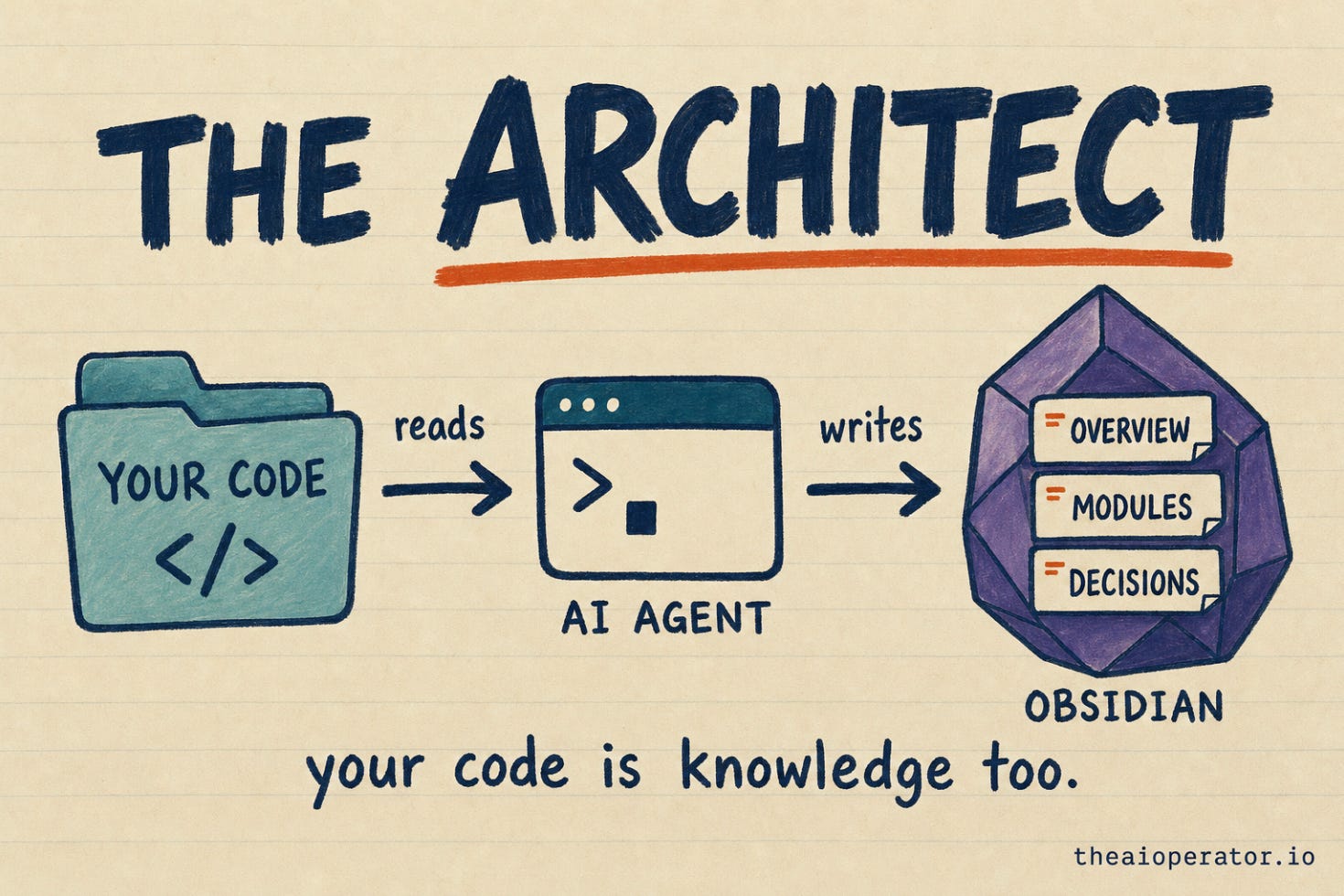
I built obsidian-second-brain to end that. It’s an open-source system that turns a plain Obsidian vault into something that reads, writes, researches, and argues back, all driven by talking to an AI agent instead of clicking around. This week it got its biggest update yet. I call it The Architect, and it closes the one gap that bothered me most: the thing you spend most of your day inside, your codebase, never lived in your second brain. Now it does.
Let me show you what it could already do, then walk you through what just changed and how.
What this thing actually is
If you’re new here: this started as my own attempt to rebuild Andrej Karpathy’s old “LLM Wiki” idea, a vault that rewrites itself as you feed it. I wrote up what I rebuilt and what was missing from the original. I built it for myself. Then 1,374 strangers cloned it, and it turned into a real project: 1,500+ stars, MIT licensed, and it runs on four different AI coding tools (Claude Code, Codex, Gemini, OpenCode) from one codebase.
It is not a notes app with AI bolted on the side. There’s no chat box in a corner. You operate the whole vault through commands you run by talking to the agent, and the agent does the filing, linking, and rewriting that you’d normally do by hand and never actually do.
Before: a second brain that already thinks
Here are a few of the commands that were already in place, and what they actually do day to day:
/obsidian-saveis the one that hooks people. You finish a long conversation with the AI and just say “save this.” It spins up parallel agents that pull out every person, project, decision, task, and idea from the chat, writes each one as a properly linked note, and updates your daily log. One command. You stop being a librarian for your own life./obsidian-ingesttakes a URL, a PDF, or a YouTube link. The vault doesn’t just file it in a folder. It rewrites itself around it: one source can touch 5 to 15 existing notes, updating what changed and linking what’s related./obsidian-challengeis the one nobody expects. You pitch an idea and your own vault argues back, using your past notes and decisions as ammunition. It’s caught me about to repeat a mistake I’d already made and documented. I wrote about building a tool that lets my vault argue with me when I first shipped it./research-deepreads what your vault already knows on a topic, finds the gaps, researches only those, and hands you the delta. No re-reading what you’ve already got./obsidian-daily,/obsidian-visualize,/obsidian-reconcilegive you your whole day pulled together each morning, a visual map of your entire knowledge graph, and a pass that hunts down contradictions across your notes and resolves them.
That was already 30-some commands of “your notes, alive.” Useful. But there was a hole in it, and once I saw it I couldn’t unsee it.
The gap: your code lived outside your brain
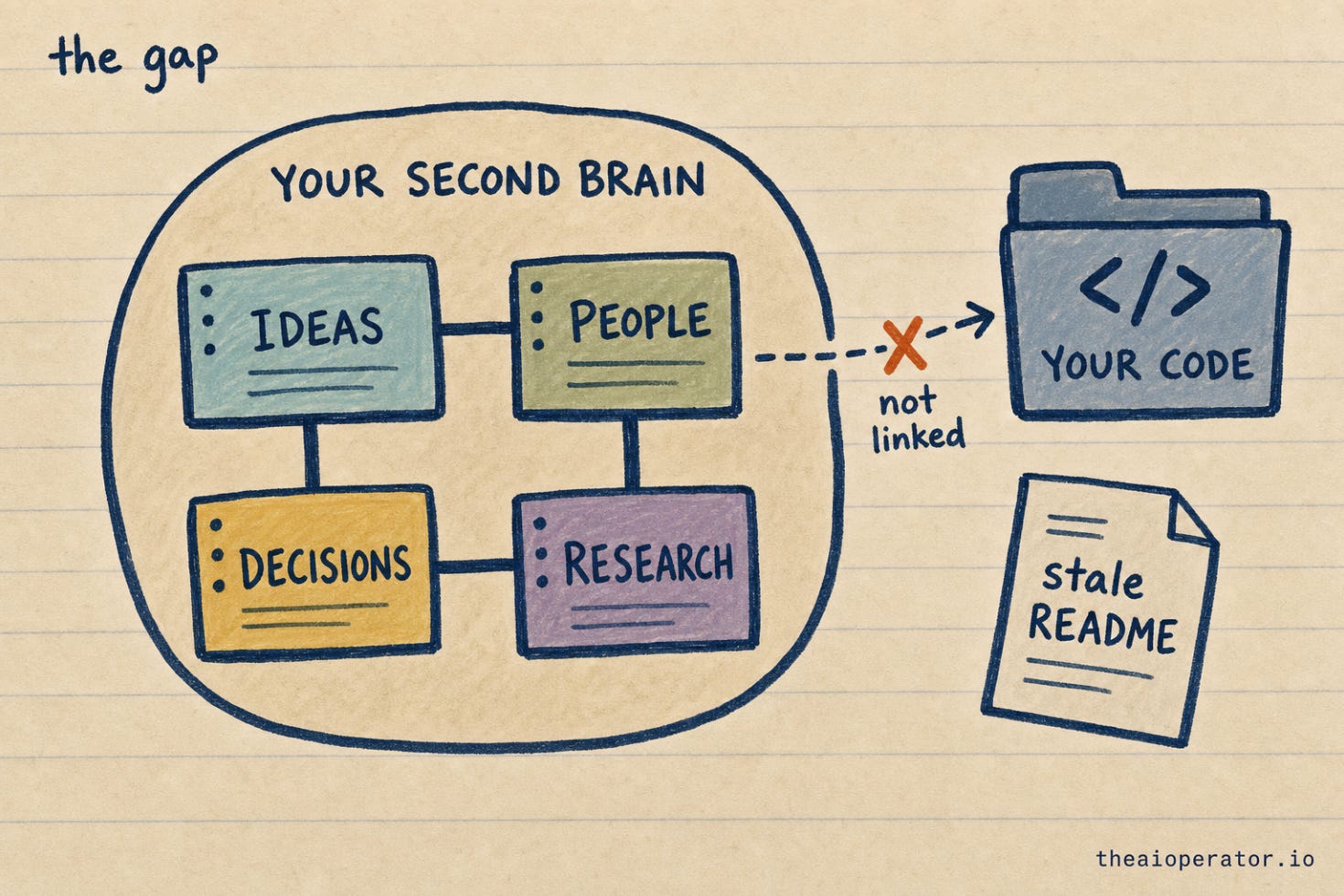
The vault captured my ideas, my people, my decisions, my research. But the thing I spend the most hours inside, the actual codebase, lived nowhere near it. It lived in a stale README that was wrong the week after I wrote it, and in my own head, which is worse, because heads leak.
So I’d save a sharp architectural decision into the vault (”we’re queueing webhooks instead of processing them inline, because X”), and three months later the decision note and the code that the decision shaped had no idea the other one existed. The knowledge was split in two and both halves rotted at their own speed.
That’s the gap The Architect closes.
After: The Architect
/obsidian-architect points the system at a software project and turns it into part of your second brain.
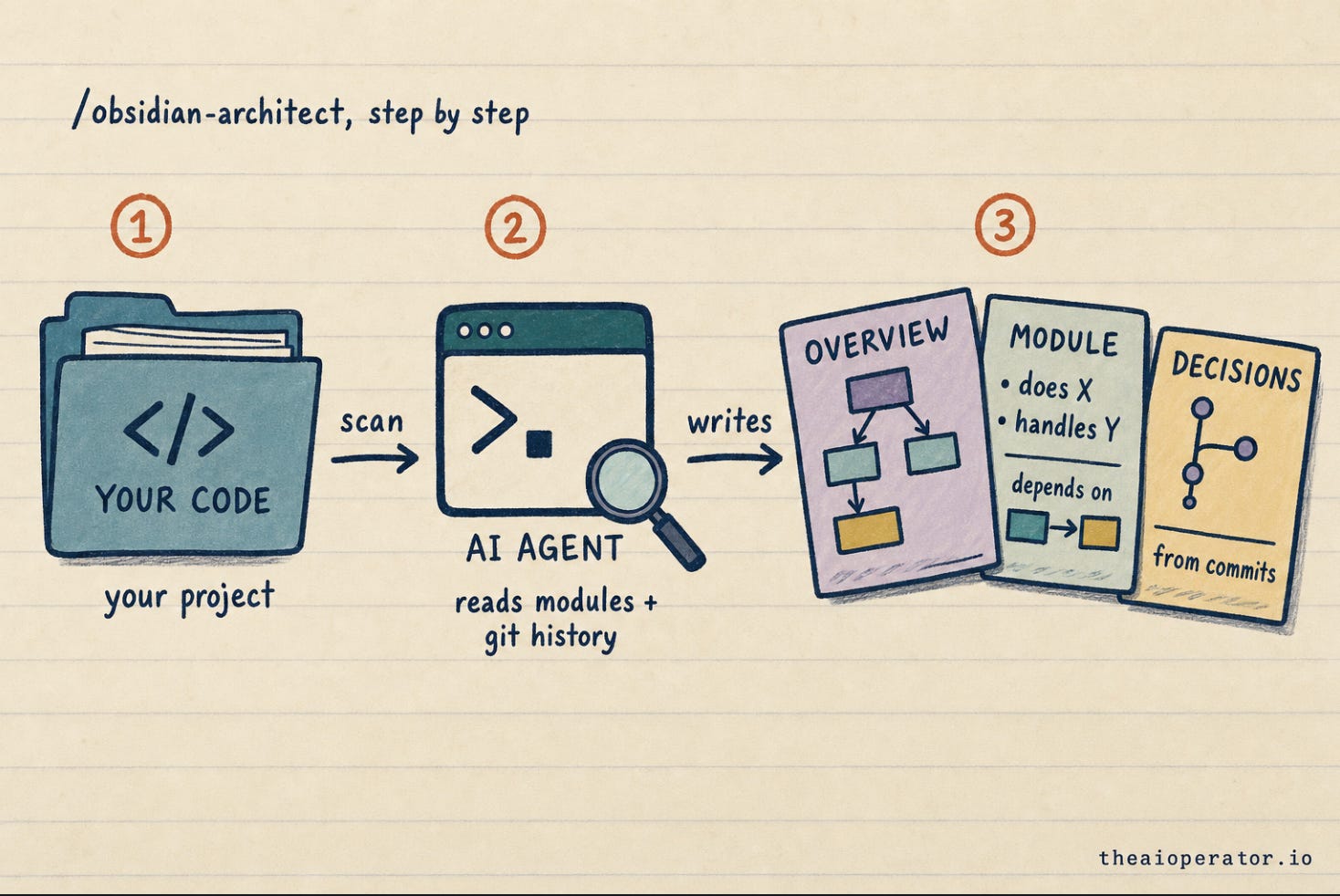
/obsidian-architect ~/Projects/my-appHere’s what it does, in three parts, because the third part is the one that matters most.
What it does. It scans the whole project: languages, modules, dependencies, entry points. Then it writes a set of notes straight into your vault. An overview note with a diagram of how the pieces fit. One note per module, describing what that module does and what it depends on. And a “key decisions” note pulled from your own commit history, so the why behind the code gets captured, not just the what.
Why it’s powerful. Those notes aren’t dead documentation sitting in a docs/ folder nobody opens. They’re linked into everything else in your vault. A decision you saved months ago can now point straight at the module it shaped. “How does billing work again?” stops being a 40-minute code-reading session and becomes a question your vault answers in one note, with links out to the exact modules and the decisions behind them.
The part that makes it stick. Documentation always rots because writing it is a one-time act and the code keeps moving. So I built the refresh to be safe to re-run. Run /obsidian-architect again any time and it refreshes only the parts it generated. Anything you wrote by hand inside those notes is fenced off and never touched.
That fencing is the whole trick. Under the hood, the generated sections live between markers, and your hand-written notes live outside them. On a re-run, the agent regenerates what’s inside the fence and leaves everything outside it exactly as you left it. So the docs stay true as the code moves, instead of being accurate for exactly one day.
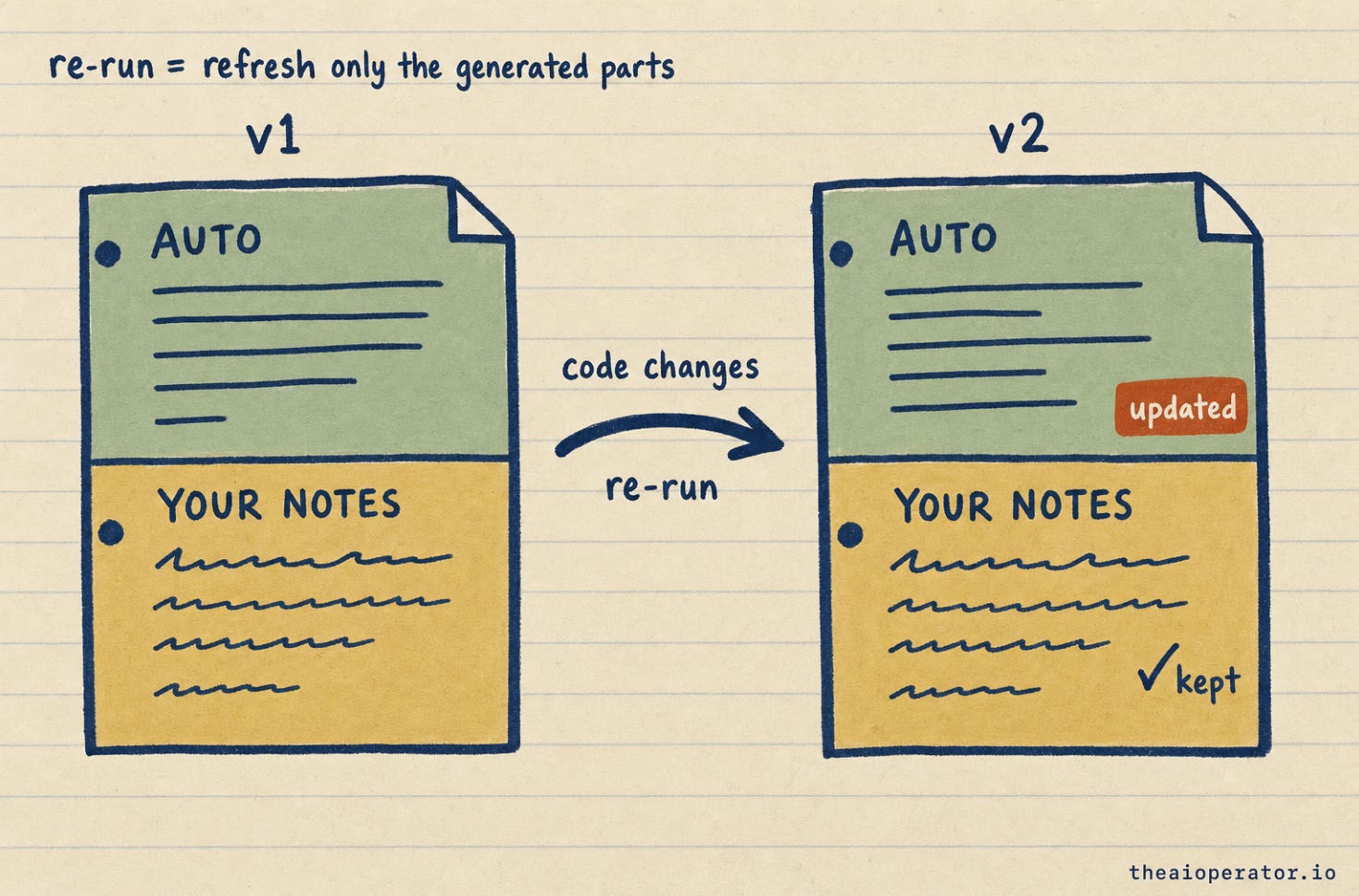
Before: my code knowledge lived in my head and decayed. After: it’s documented, linked, and self-updating, in the same brain as everything else I think about.
Everything else that got more powerful
The headline is The Architect, but this was a big release and the whole tool levelled up. The short version of what else landed:
Research went free. Before this,
/researchneeded a paid Perplexity key or it just errored out, which was the single biggest reason people bounced on first install. Now, with no key at all, it pulls from free public sources (Wikipedia, Hacker News, arXiv, Reddit, and more) and the AI writes the dossier from those. It works, for free, the second you install it. If you do have a key, it still uses it for deeper pulls.It learned your calendar. New commands pull your week into a note, book an event straight from a task, and turn a meeting into a note. There’s also a reconcile pass that checks your vault against your calendar and flags commitments you wrote down but never actually scheduled.
It stopped lying by omission. The sneakiest AI failure mode isn’t making things up. It’s confidently telling you “you have no note on that” when you do, because it didn’t look hard enough. There’s now a hard rule baked in: search the whole vault before ever claiming something is missing.
New thinking tools. You can convene a panel of different perspectives on a decision (
/obsidian-panel), cross-reference everything your vault knows on one topic (/vault-deep-synthesis), or surface what’s actually worth working on next (/idea-discovery).It got trustworthy. This release added the first automated tests and CI. That’s the line between a weekend hack and something you’d hand years of your own notes to. And as of this update it runs on Codex CLI too, not just Claude Code.
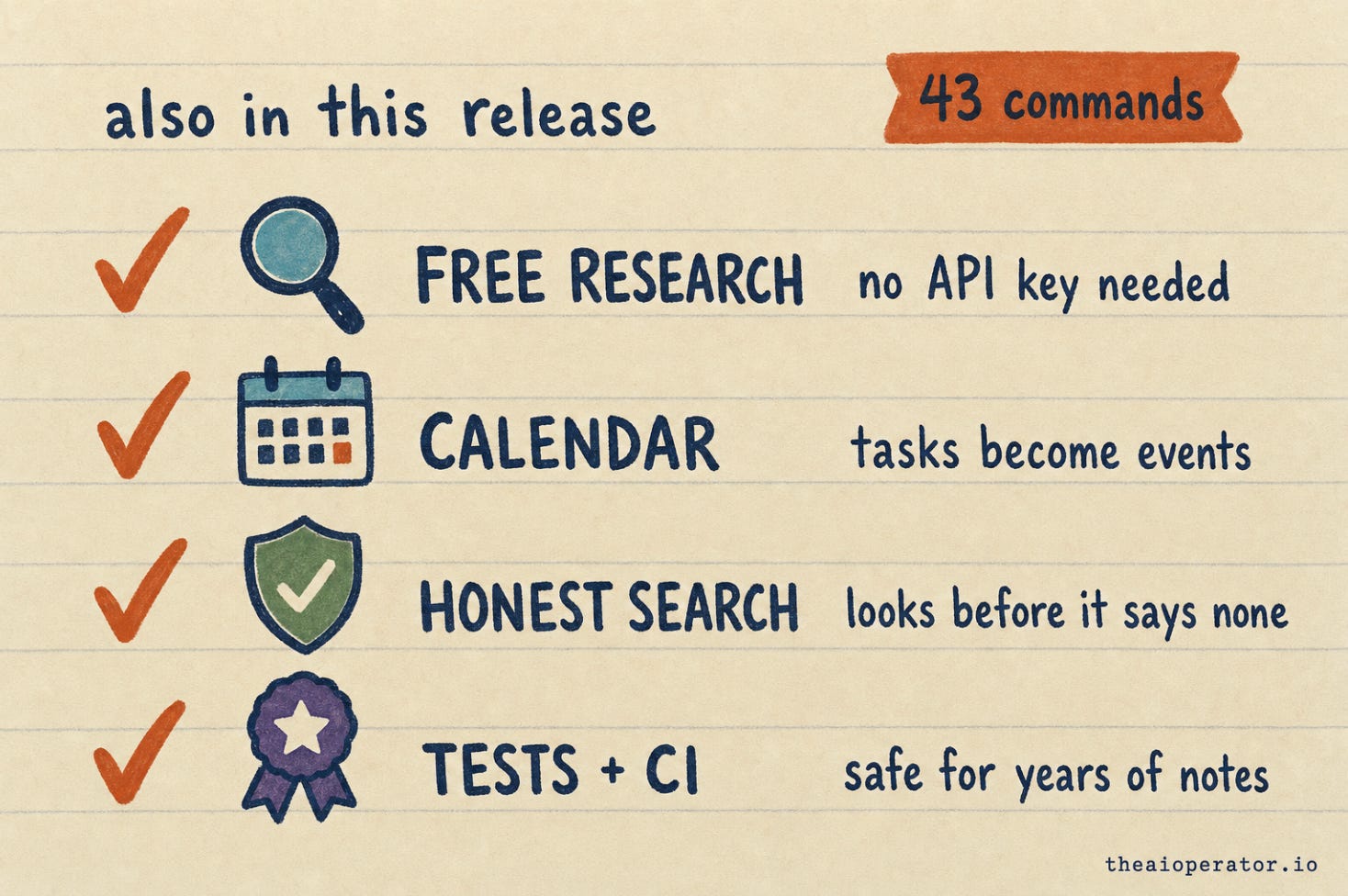
Put it together and the count is now 43 commands across four AI tools. One vault that reads, writes, argues, researches, and now maps your code.
If you want the wider tour of the commands I actually use in a normal week, I broke those down in 30+ AI shortcuts I built for my own work.
Already using it?
Pull the latest and that’s the whole upgrade. Everything is additive. Nothing breaks. One change worth knowing about: the optional background helper that quietly writes to your vault now ships off until you switch it on. Safer default, not a lost feature. If you relied on it, flip it back on and you’re exactly where you were.
New here?
It’s one line to install (the command is in the repo). Then run /obsidian-init to set up your vault structure, and /obsidian-daily to create your first note. After that, you mostly just talk to it.
Repo: github.com/eugeniughelbur/obsidian-second-brain
A second brain shouldn’t stop at your ideas. The code you write is knowledge too, and the decisions behind it are the part you forget fastest. Now they live in the same place as everything else you think about, and they stay true on their own.
If you build with this, I want to hear what you point The Architect at first. Reply and tell me.
"They’re linked into everything else in your vault." This will unlock so much